
A2 LSTK Steel Framing
The sales site of a steel-frame manufacturer in Dagestan. Every kind of building gets its own page with a live price estimate, and the client publishes projects without a developer.
7
building types, each with a page and estimator
60 s
from a CMS edit to the live page
2
languages, Russian and English
0
manual deploy steps
- Client
- A2 LSTK-Stroy, steel-frame maker in Dagestan
- Industry
- Construction and manufacturing
- Platform
- Website and CMS
- Our part
- Site, CMS, hosting and CI
- Timeline
- July to September 2026, English in October
The brief.
Context
A2 LSTK-Stroy rolls light-gauge steel frames on its own line in Kizilyurt, then delivers and installs them. The site is how the company sells: it buys regional ad traffic for hangars, houses, guest houses and public contracts, and every click has to land on a page about that building with a price on it.
Challenge
Each ad group needs a matching page, and a client-rendered app would show search engines an empty shell. Visitors want a number before they call. The company also wanted to publish finished projects and read incoming requests itself, without waiting for a developer or putting the ad campaigns at risk.
Approach
We built a Nuxt 4 site that renders every page on the server, with one landing template and seven building-type configs. Each landing carries its own estimator, questions and request form. Projects live in Firestore behind a FireCMS admin and reach the site within a minute. Pushing to master deploys both apps.
A steel frame on the first screen.
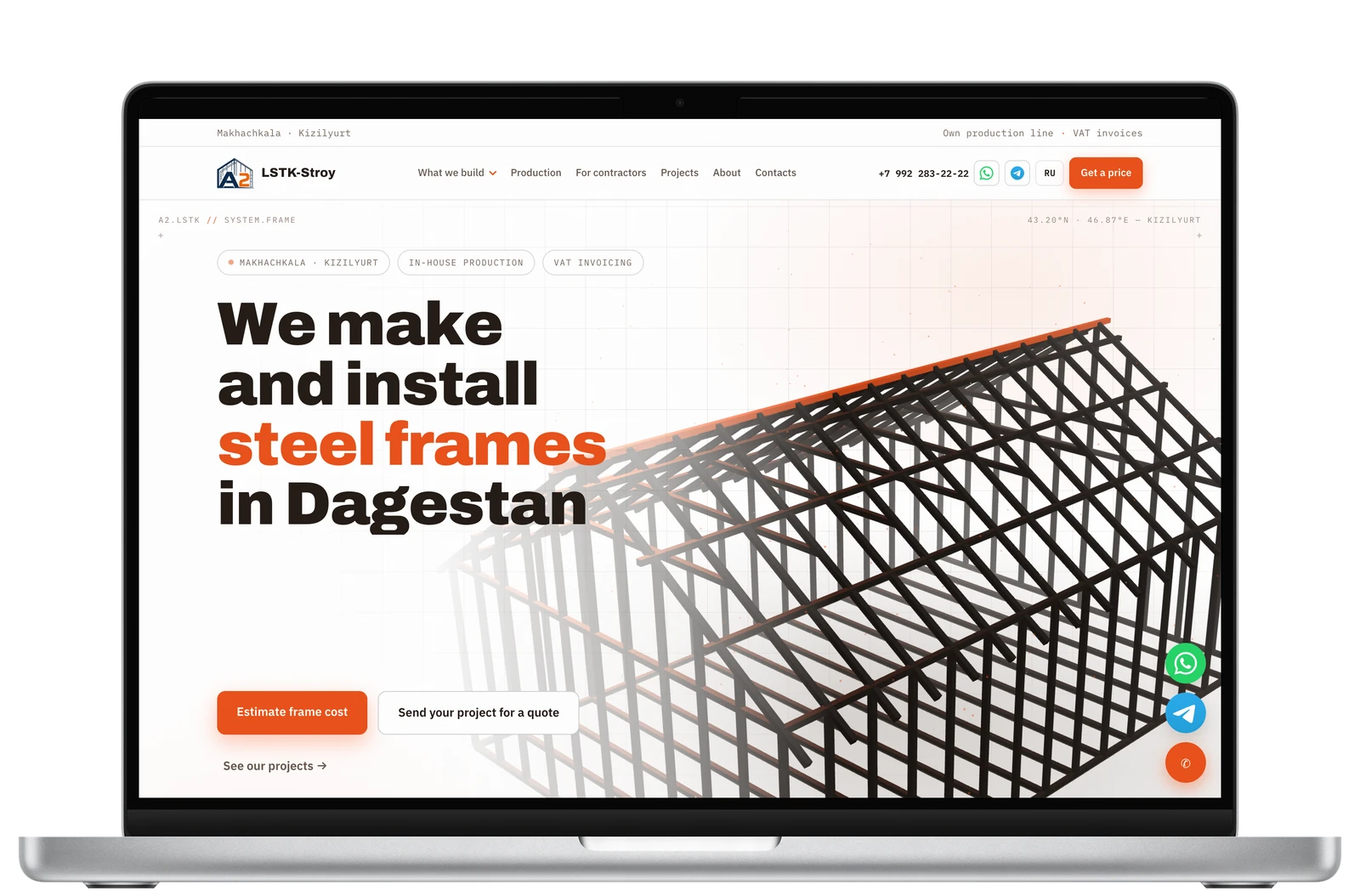
The home page opens on a 3D frame drawn with Three.js, its ridge in the brand orange, beside one plain headline. Two buttons lead to the estimator and the request form. The text is in the server-rendered HTML, so a crawler or a slow phone gets the whole page before any script runs.
A price before the phone call.
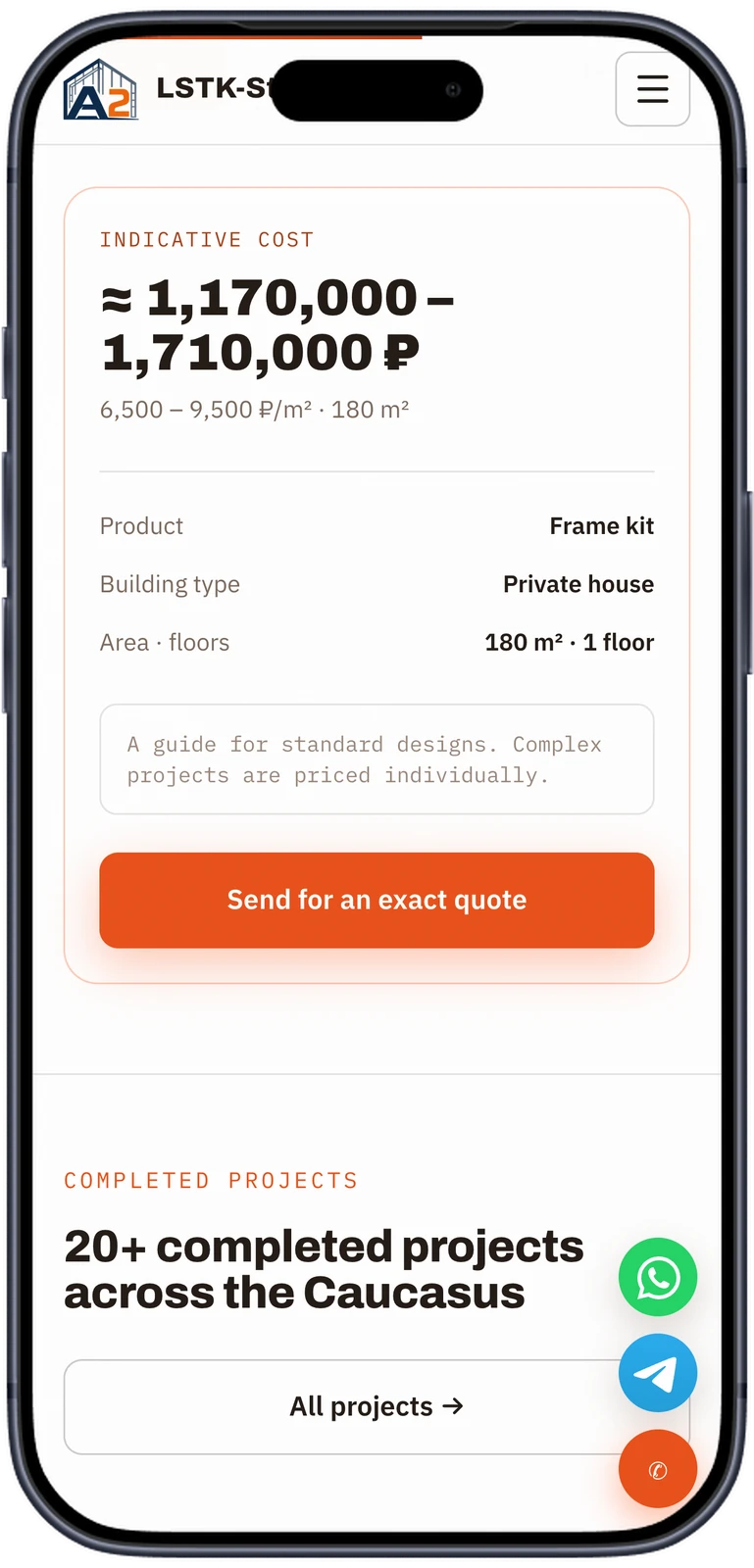
Pick a package, a building type, the floor area and the floors, and a price range updates on the spot, with the rate per square metre under it. Hangars add height, span, insulation and doors. The result says it is a guide and links to the form for an exact quote.
One page for each kind of building.
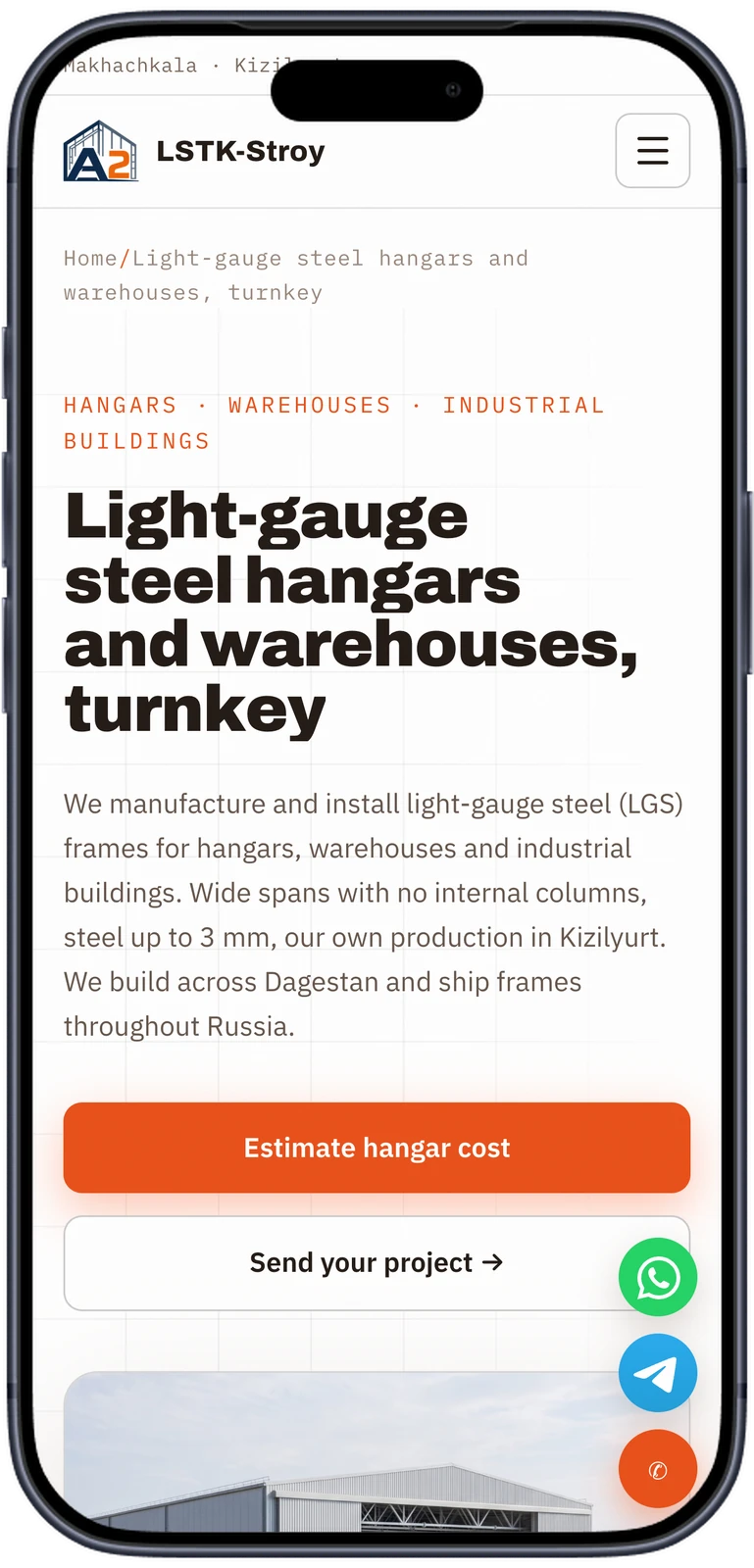
Hangars, commercial buildings, hotels, guest houses, houses, small buildings and public contracts each have a landing page. They share one template and differ only in config: headline, estimator inputs, what the price includes, questions and form fields. Contractors who need kits for their own projects get a page of their own.
Every finished building gets a page.
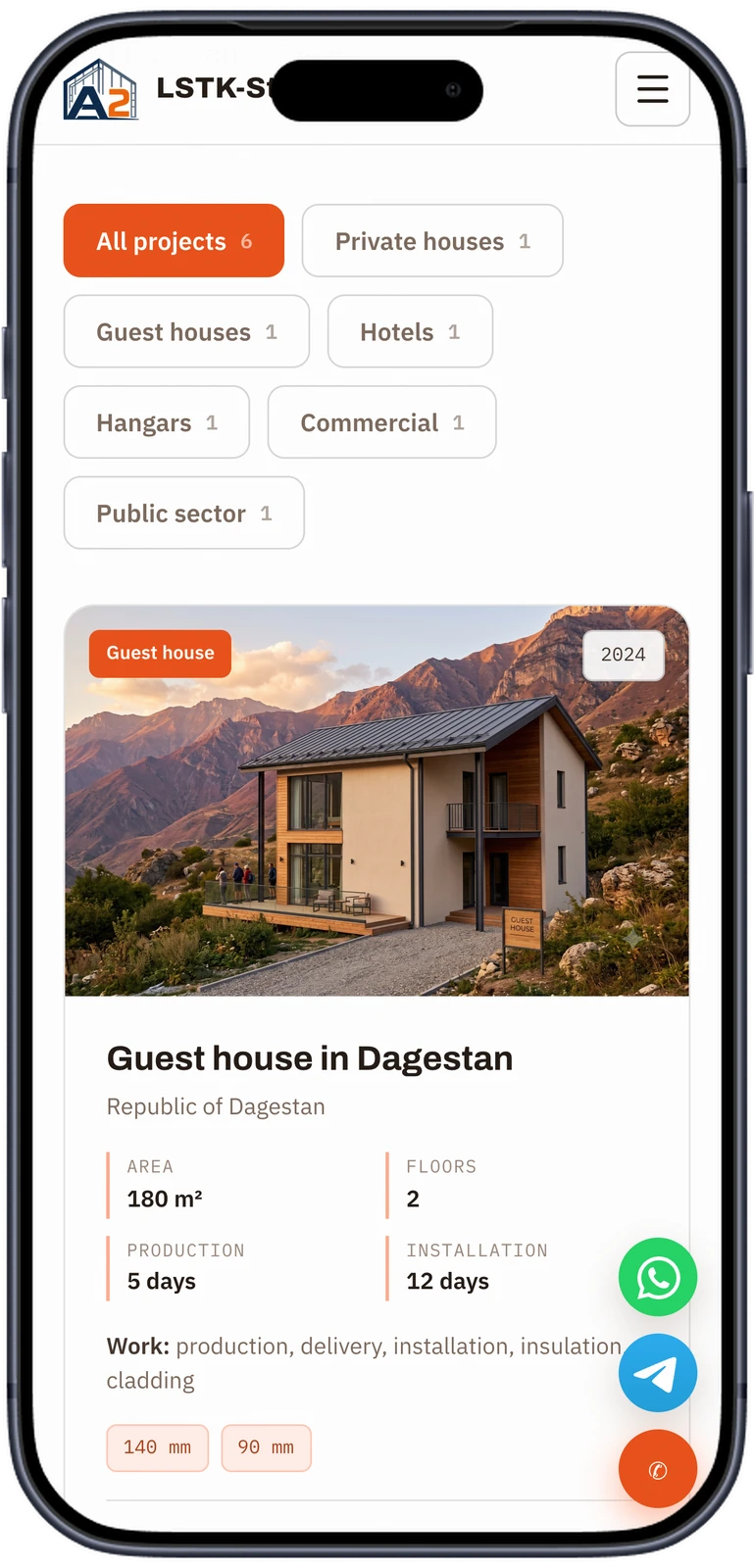
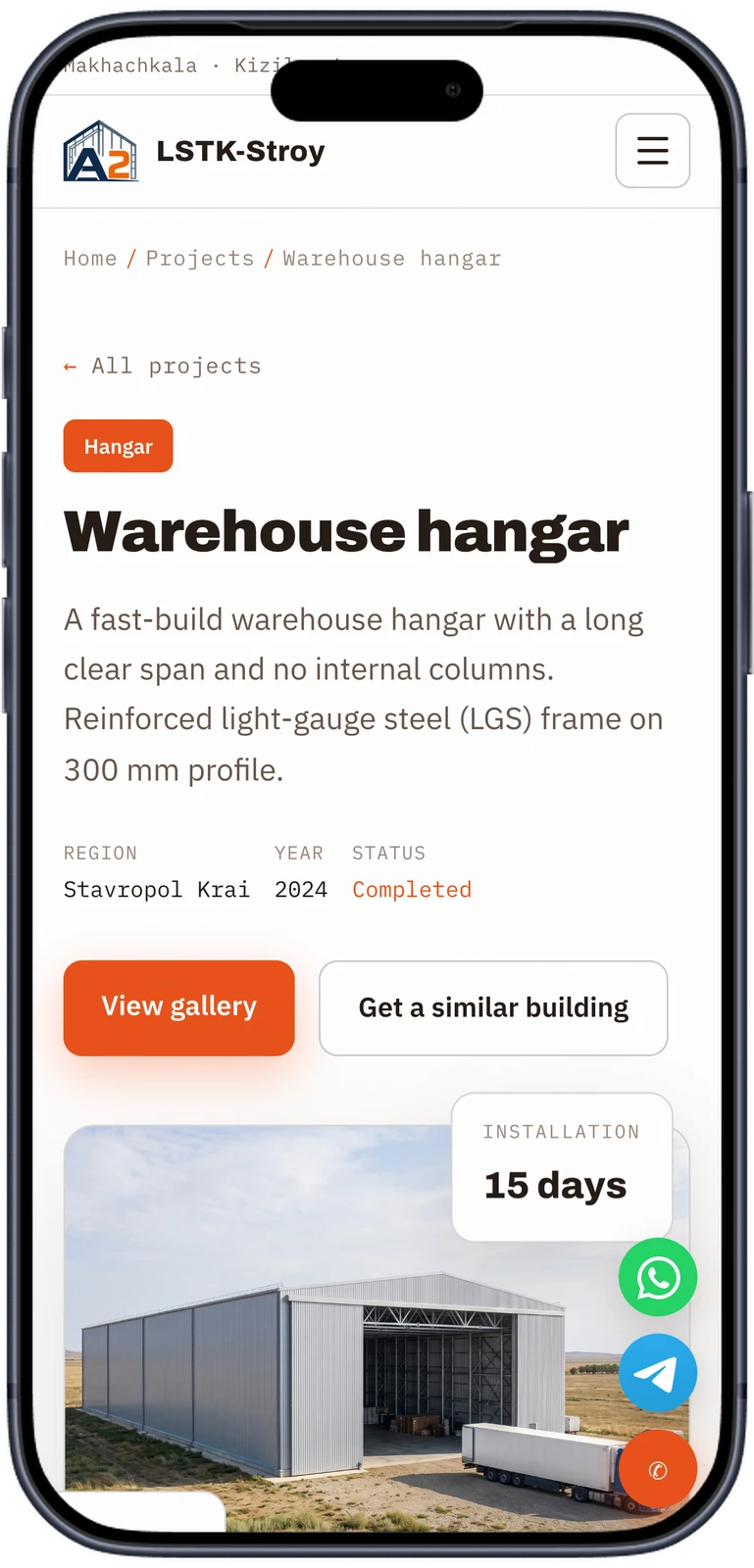
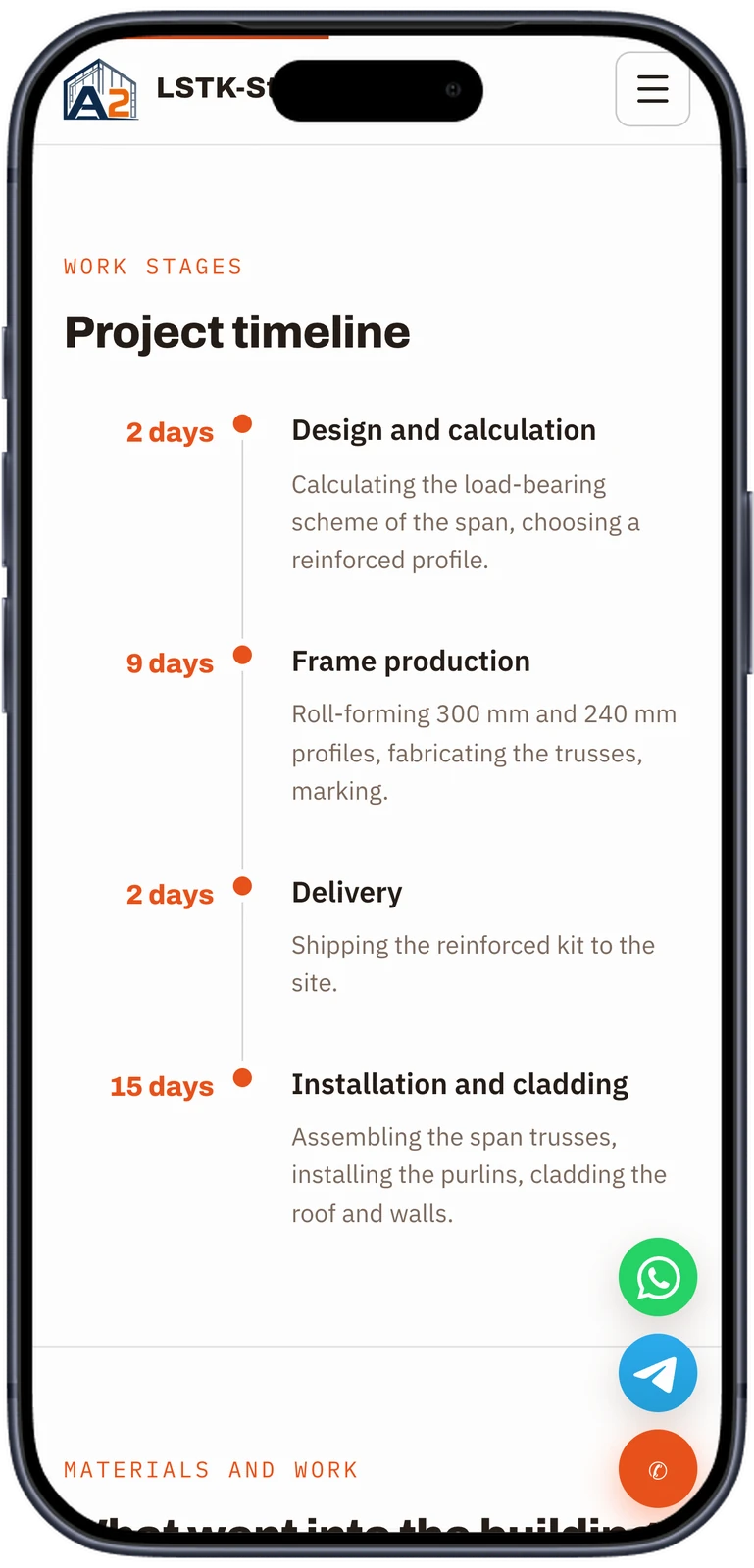
The company adds a project in FireCMS: photos, area, floors, days in production and on site, profiles used and a stage-by-stage timeline. The site reads it from Firestore on the server and caches it for a minute. Each project gets its own URL and links back to the landing page for its building type.
The same pages on a phone.
Every page is laid out for a phone first. Filters wrap into chips, the numbers stack, and the timeline keeps its days on the left. WhatsApp, Telegram and call buttons stay in reach on every screen.
Requests that reach the right person.
Every form posts to the site's own server, which checks it and stores it where the team already works.
Fields per building type
Hangar requests ask for the building type, area and delivery region; contractor requests for company, tax ID and volume. The server accepts only the fields each form defines.
Drawings attached
A visitor can attach a design or floor plan up to 5 MB. It goes to Cloud Storage next to the request.
Spam limits
A hidden honeypot field and a limit of six requests per IP every 15 minutes.
Read in the CMS
Requests land in Firestore and appear in the same FireCMS admin as the projects, with the page and site language they came from.
Clicks counted
Taps on the phone number, WhatsApp and Telegram are sent to Yandex Metrica as goals.
One push, two apps, tested rules.
The site and the CMS live in one pnpm workspace and deploy from master. Firebase App Hosting builds and runs the Nuxt server. A GitHub Actions workflow builds the site as a gate, tests the Firestore and Storage rules in the emulator, then deploys the rules and the CMS.
Push to master
The only long-lived branch. Pull requests run the same checks without deploying.
Rules tested
Firestore and Storage rules run against the emulator before they can ship.
CMS deployed
FireCMS is built and deployed to its own Firebase Hosting site.
Site rolled out
App Hosting builds the Nuxt 4 server and rolls it out with no manual step.
Pages rendered
Each request gets full HTML in Russian or English, with sitemap, hreflang and FAQ markup.
What we built.
Our part
- Page structure for paid and organic search
- Server-rendered Nuxt site with a 3D hero
- Price estimators for every building type
- FireCMS admin for projects and incoming requests
- Request form with file upload and spam limits
- English version alongside the Russian site
- Hosting, CI and security rules tested against the emulator
Stack
- Site
- Nuxt 4
- Vue 3
- TypeScript
- Three.js
- GSAP
- Lenis
- SEO and languages
- Nuxt SEO
- @nuxtjs/i18n
- Schema.org
- Sitemap and robots
- Content
- FireCMS
- Firestore
- Cloud Storage
- Hosting
- Firebase App Hosting
- Firebase Hosting
- Delivery
- GitHub Actions
- Firebase emulator rule tests
- pnpm workspaces
- Analytics
- Yandex Metrica
Paying for every click?
Give it a page that answers.
We build fast, server-rendered sites where each ad group lands on its own page, and the content stays in your hands.