Budget Buddy
Our own money manager for iOS and Android. It keeps a double-entry ledger on the phone, checks it against bank statements day by day, and recomputes balances instead of adjusting them.
7
SQLite triggers guarding cached balances
111
illustrated categories out of the box
6
bank statement formats, plus any CSV
600+
automated tests
- Client
- KorLab, our own product
- Stores
- App Store and Google Play
- Platforms
- iOS and Android from one Flutter codebase
- Our part
- Everything, design included
- Timeline
- Since November 2024, in stores since September 2025
The brief.
Context
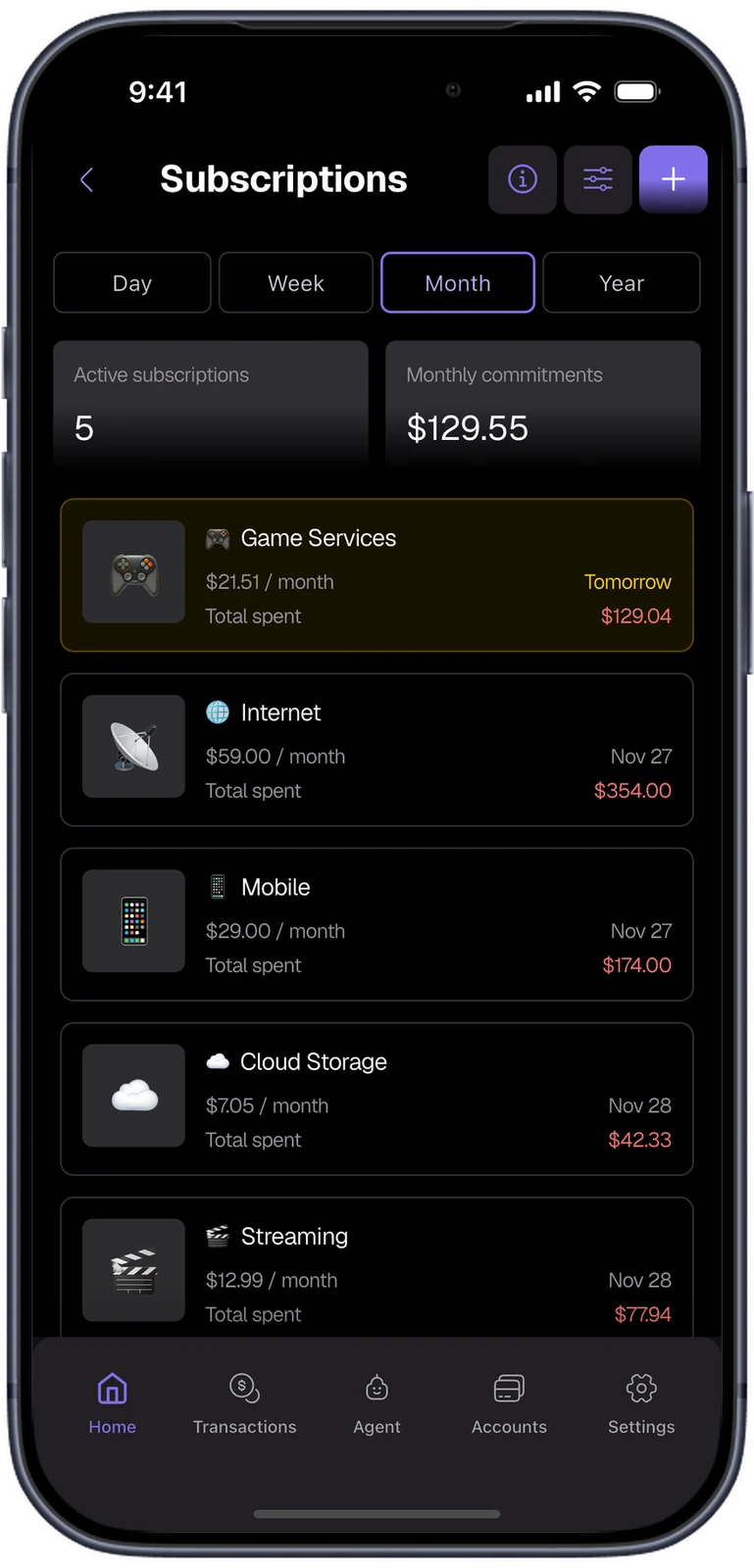
Budget Buddy is our own personal finance app, designed and built by KorLab end to end. People track accounts, spending, budgets and subscriptions, import bank statements and back their data up to their own Google Drive. The ledger lives in a SQLite database on the device, and the interface is translated into seven languages.
Challenge
Finance apps usually keep balances as running totals and nudge them on every write. It is fast, and it is how balances drift: one missed update or a crash mid-write, and the number on screen stops matching the transactions behind it. People also expect the app to agree with their bank, which means reading each bank's own statement format.
Approach
We made the ledger the only source of truth. SQLite triggers mark cached balances stale in the same transaction as the write, and balances are recomputed from the ledger rather than adjusted. Bank statements are parsed per bank and compared with the app day by day. A paired browser opens the same ledger on a computer, and an optional AI agent answers questions about it.
A year of money, read at a glance.
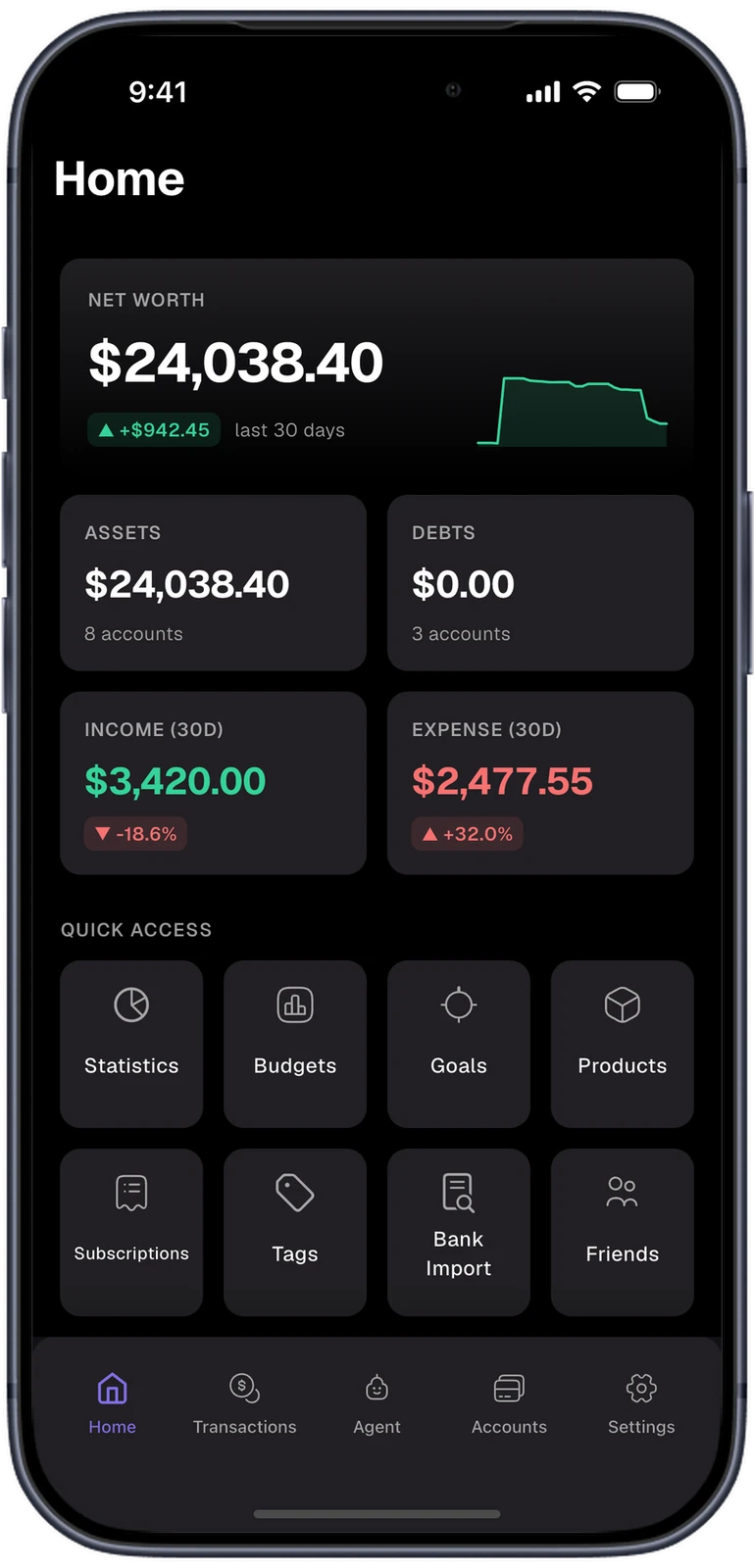
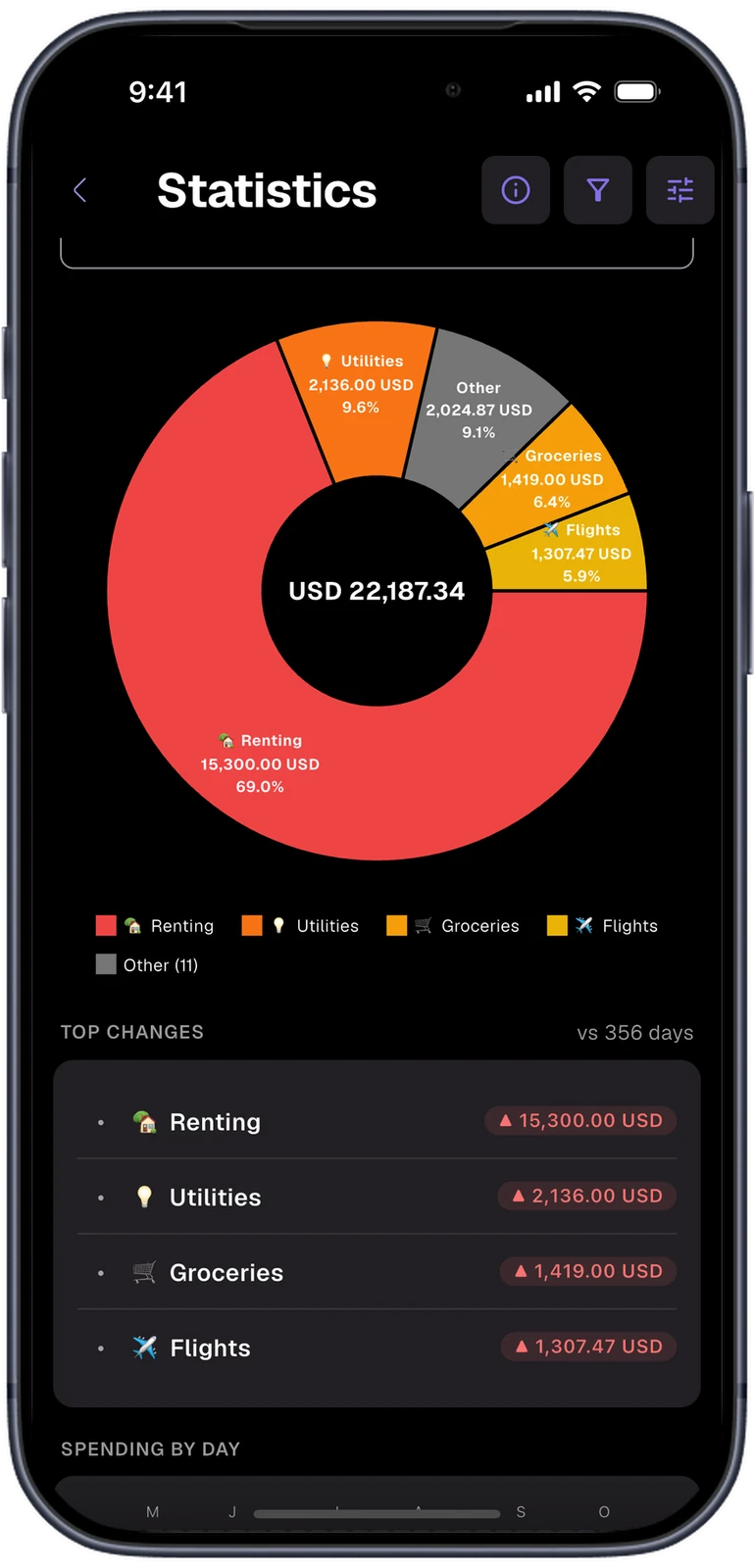
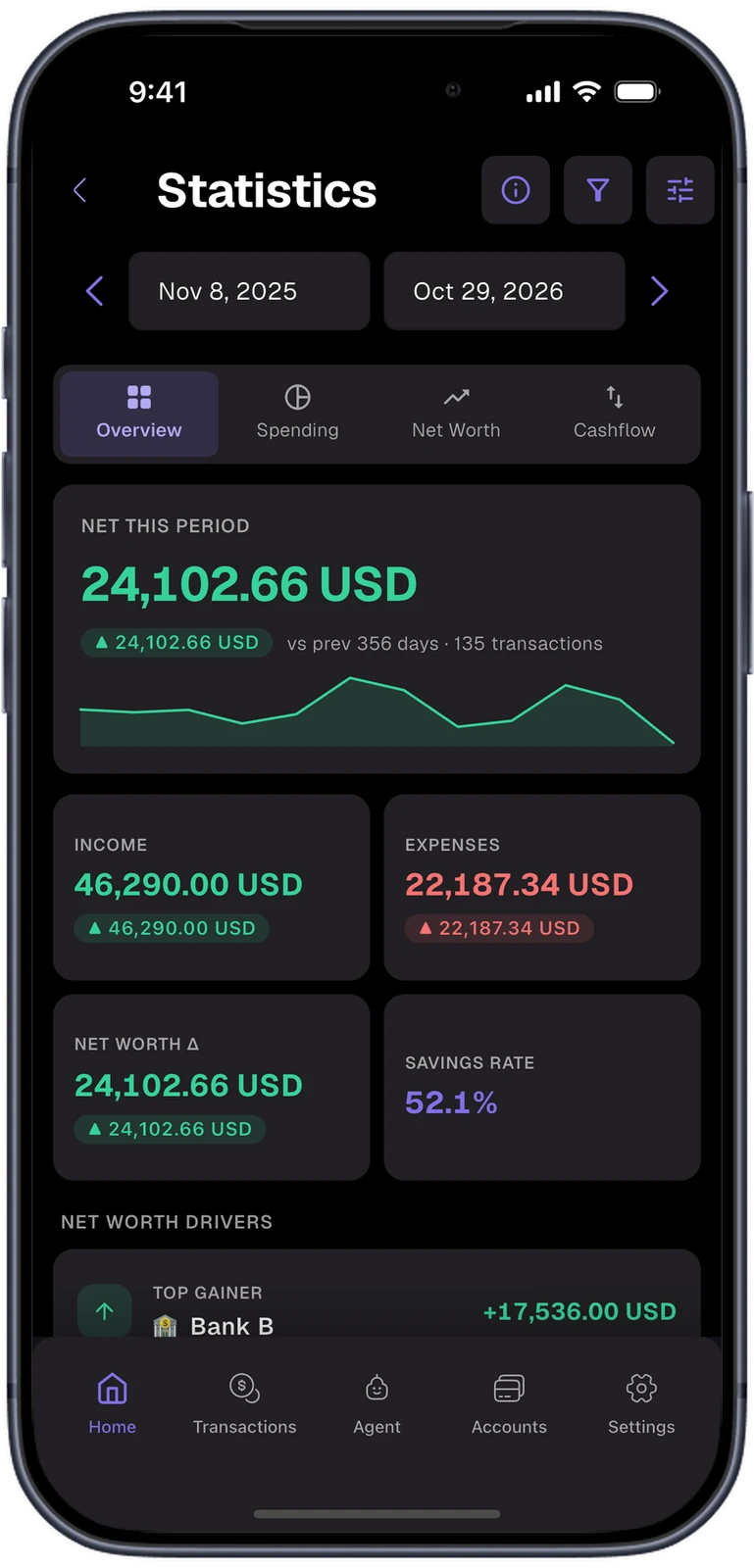
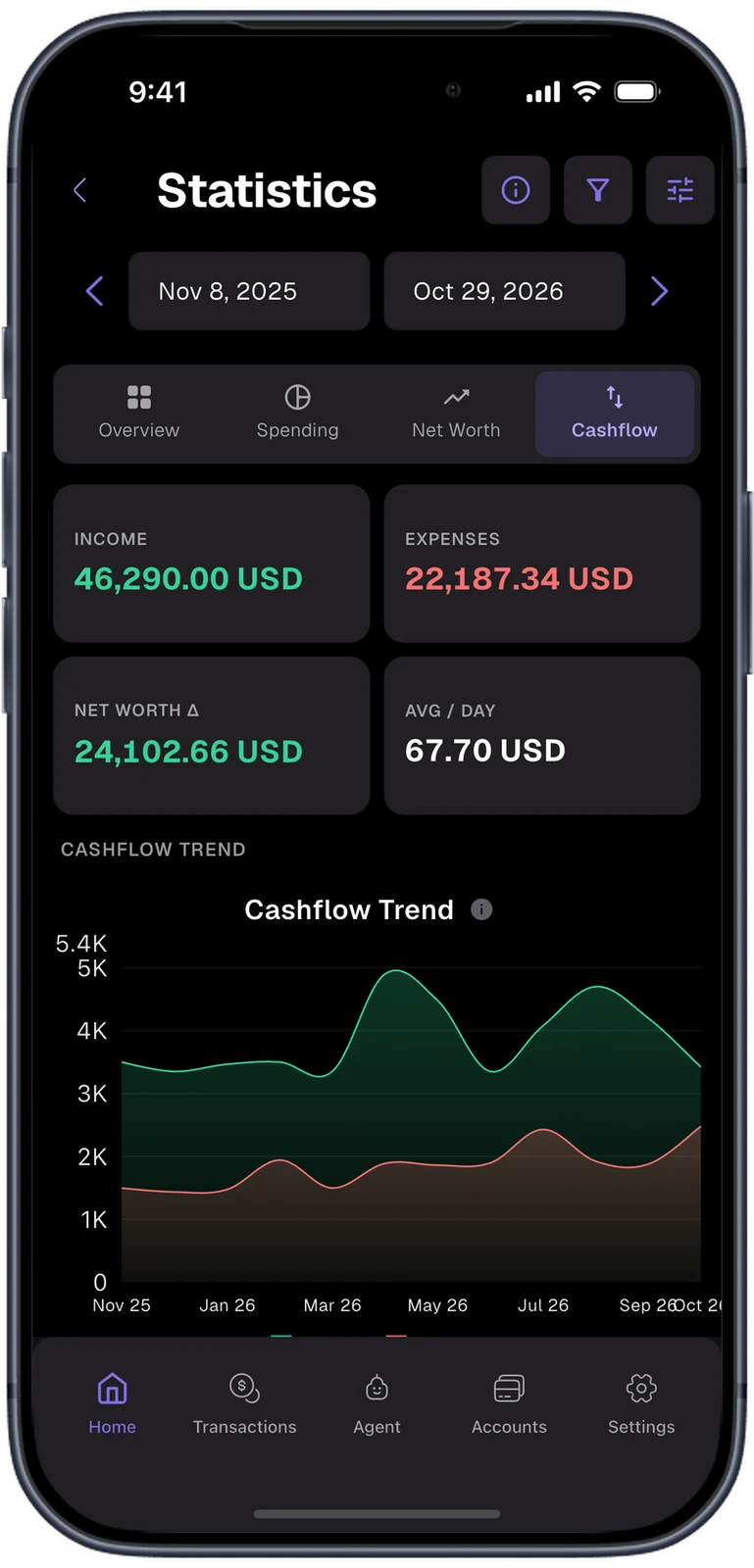
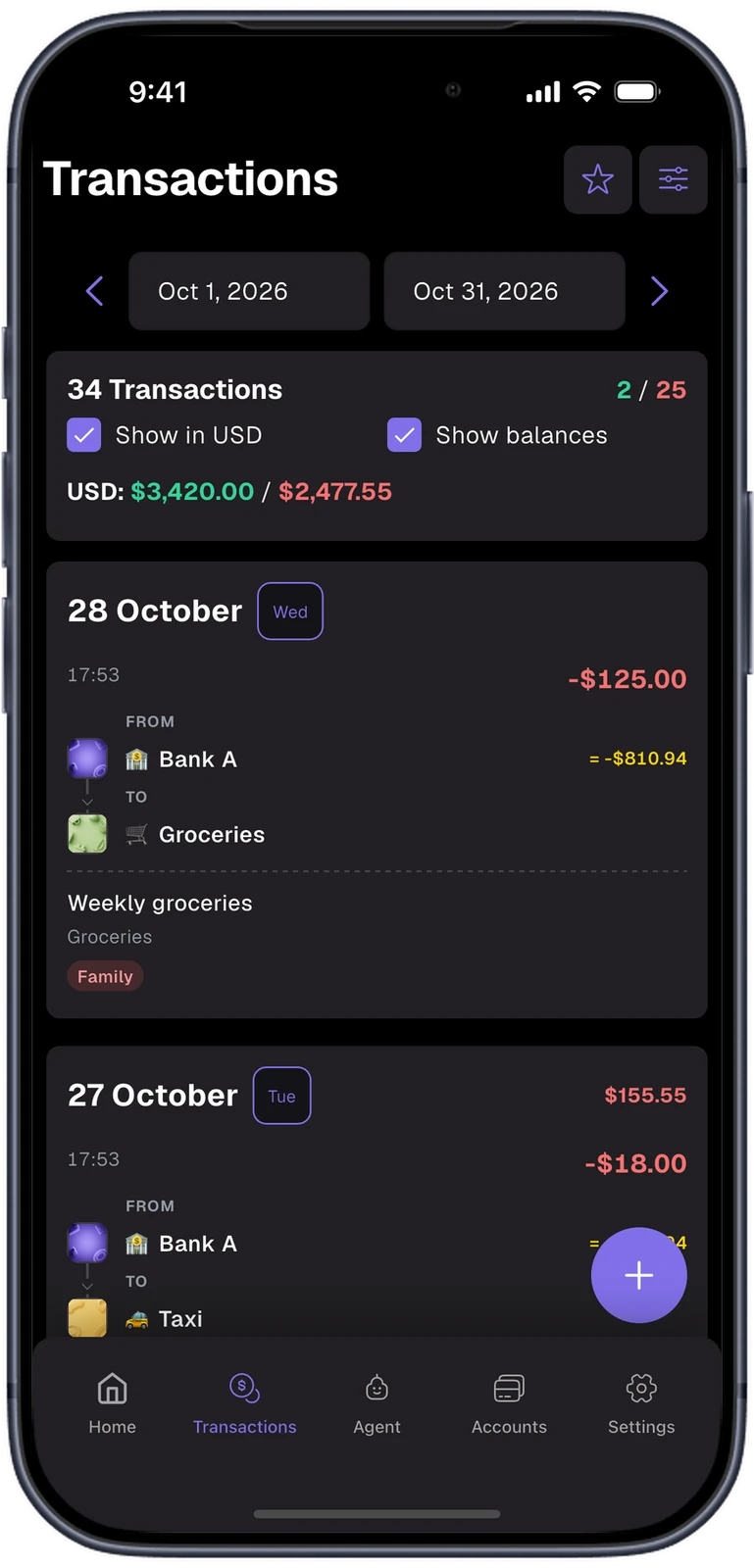
Home opens on net worth and the last 30 days of income and spending. Statistics breaks any period down into an overview, spending by category, net worth and cashflow. The transaction list groups entries by day and shows each account's balance after every entry.
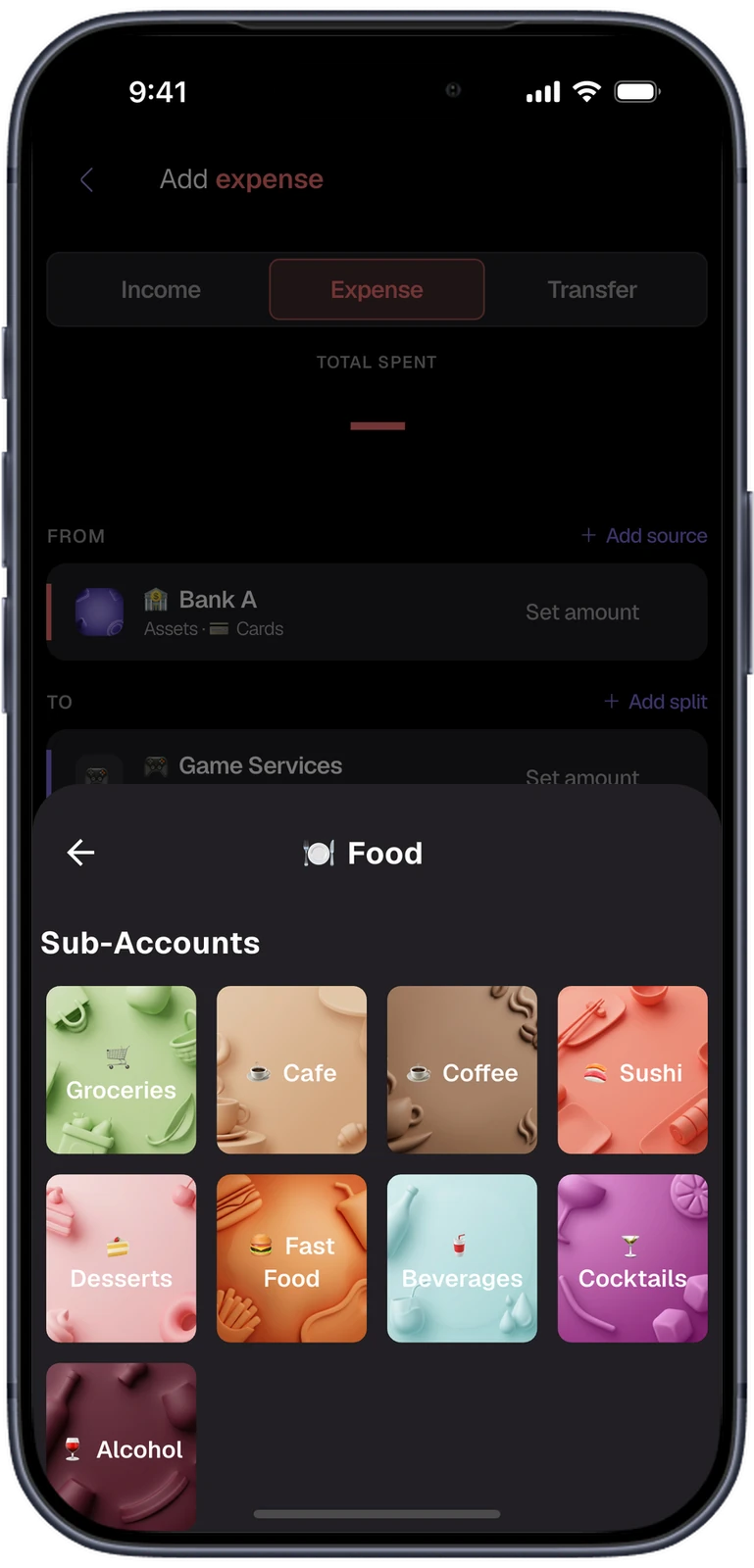
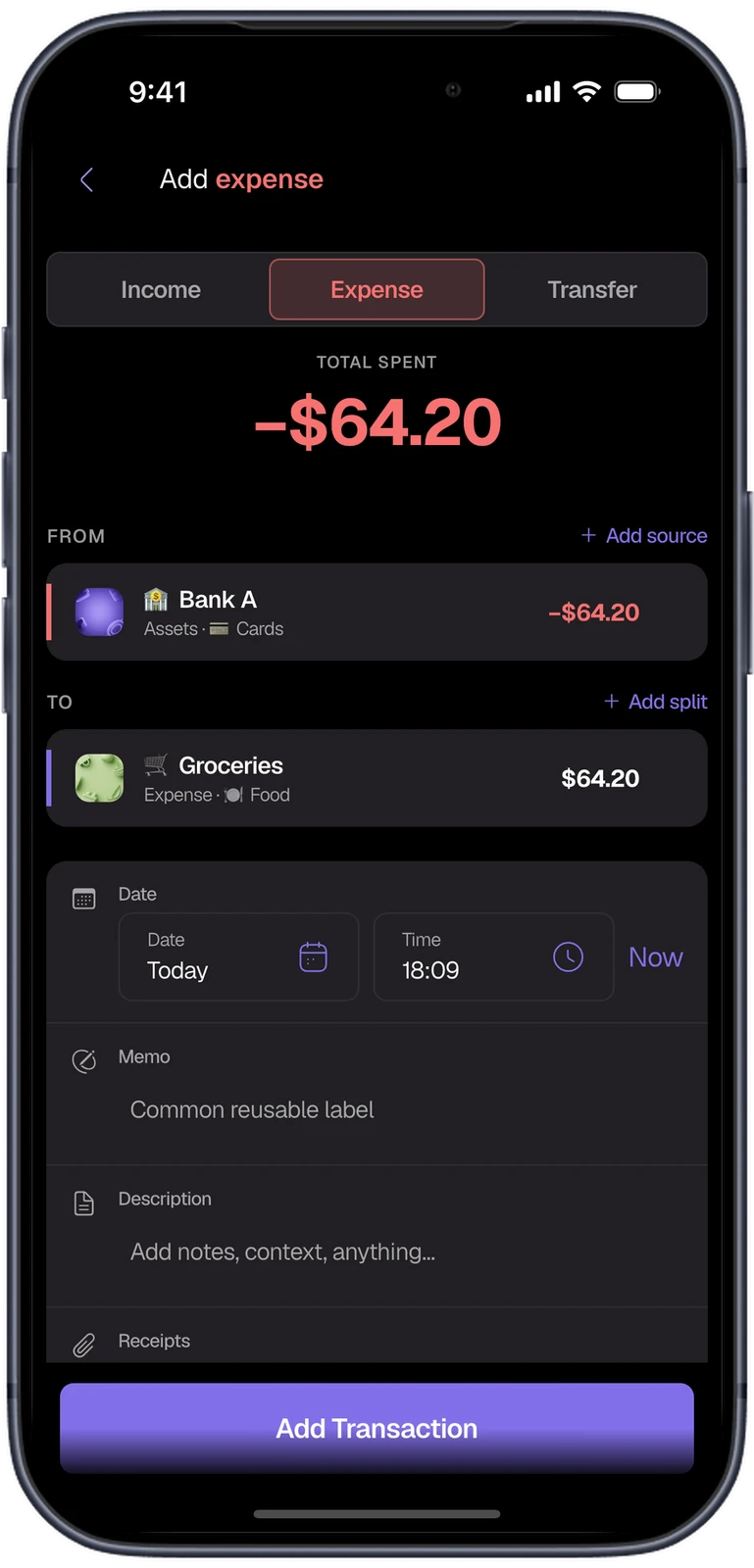
Every expense in a few taps.
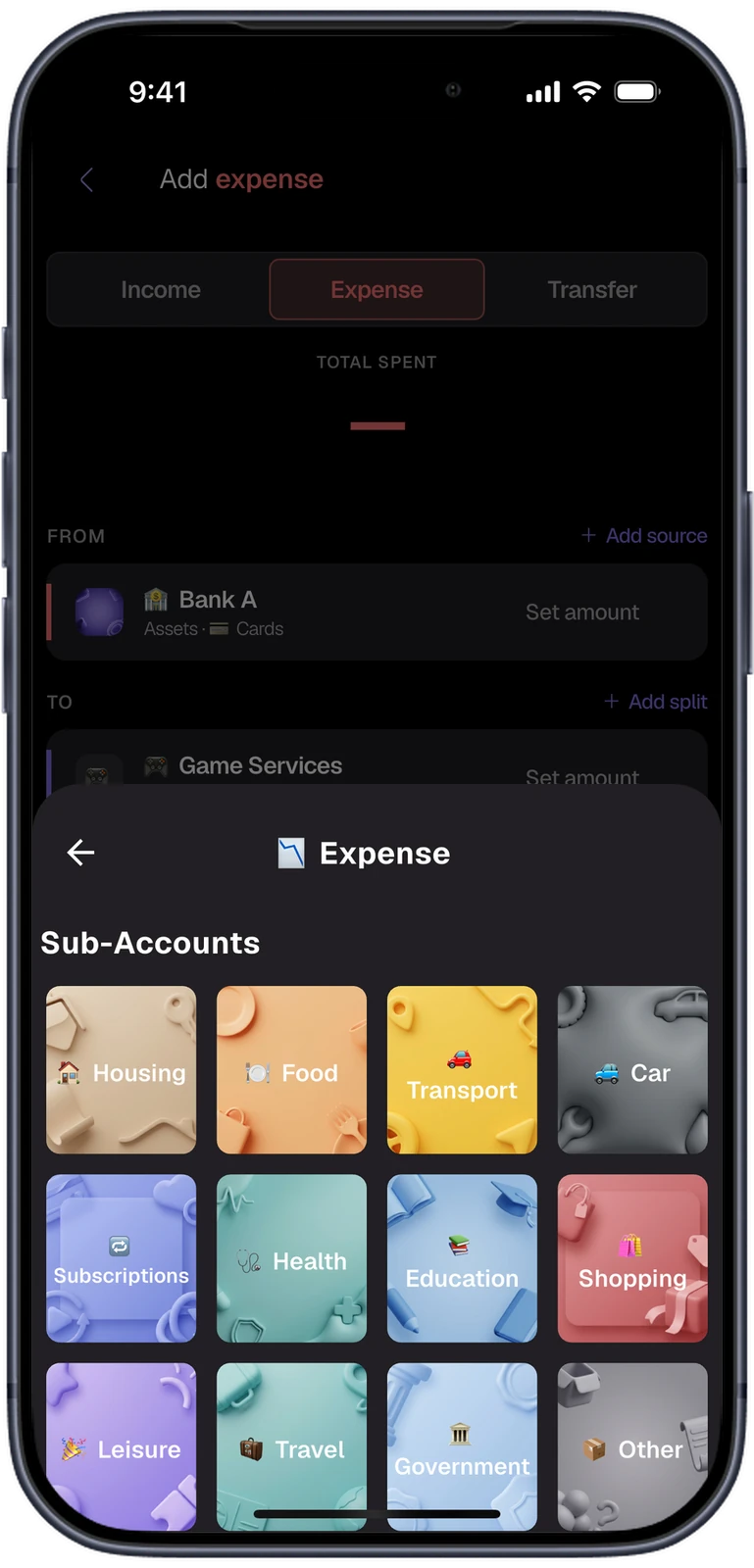
An expense is a move from one account to another: from the card it was paid with to the category it was spent on. Categories are illustrated tiles grouped into sub-accounts, so Groceries sits one tap inside Food. Every entry is double-entry underneath.
- 111 illustrated categories come with a new install.
- Splits send one payment to several categories.
Balances that cannot drift.
The ledger is three tables: transactions, their entries and opening balances. No total on screen is kept up to date by hand. Cached balances are marked stale by the database itself, and running balances are never stored at all.
- Equivalence tests hold the fast paths to the same answer as a full recomputation.
A write
Adding, editing or importing a transaction changes ledger rows inside one SQLite transaction.
Triggers
Seven triggers mark the affected balances stale in that same transaction, so a crash leaves both changes or neither.
Revision counter
Every write bumps one data_revision counter. Statistics and summaries remember the revision they were computed at.
Recompute
Stale balances and outdated summaries are rebuilt from the ledger, never adjusted in place.
On screen
Running balances in a list are folded in memory from the account total, so there is nothing to keep in sync.
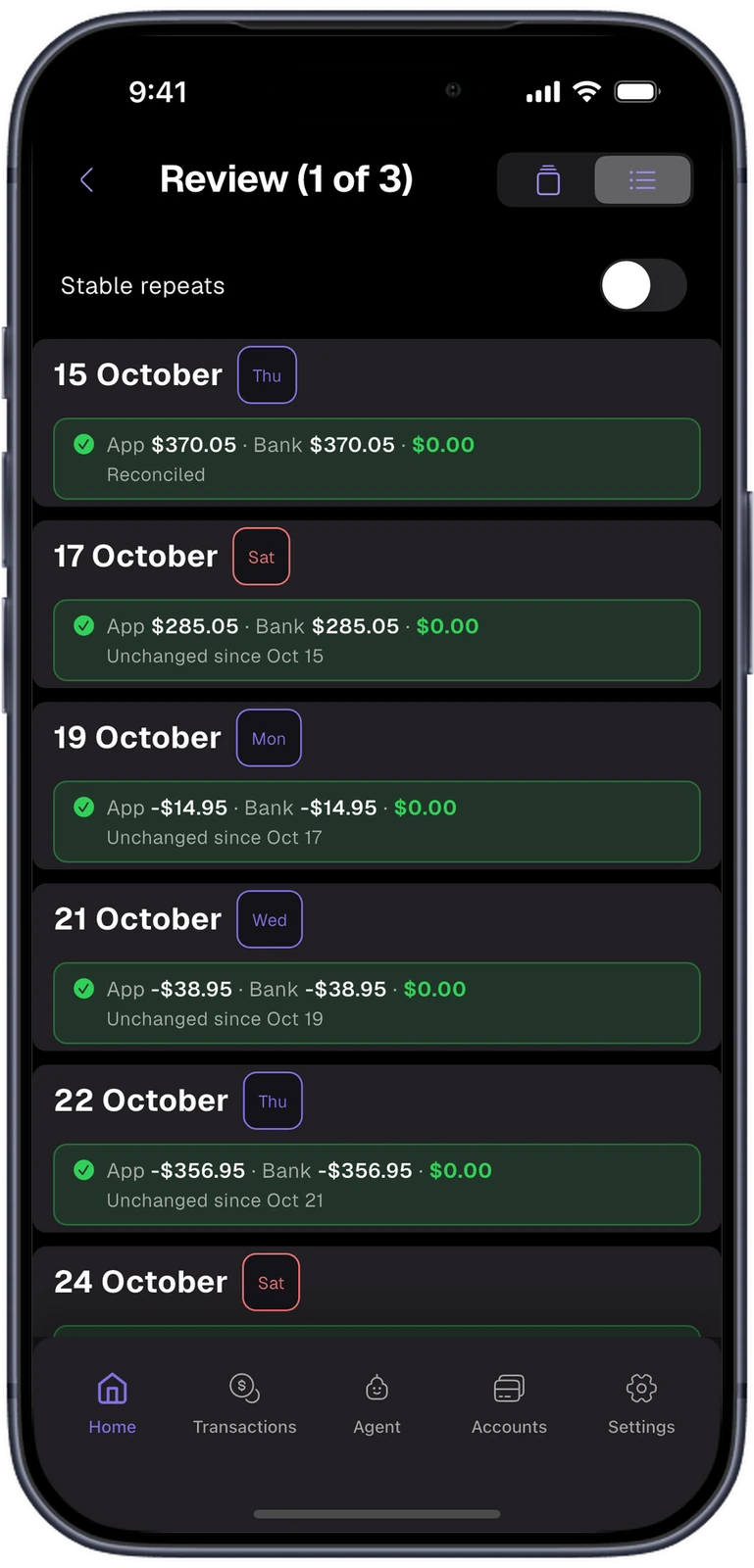
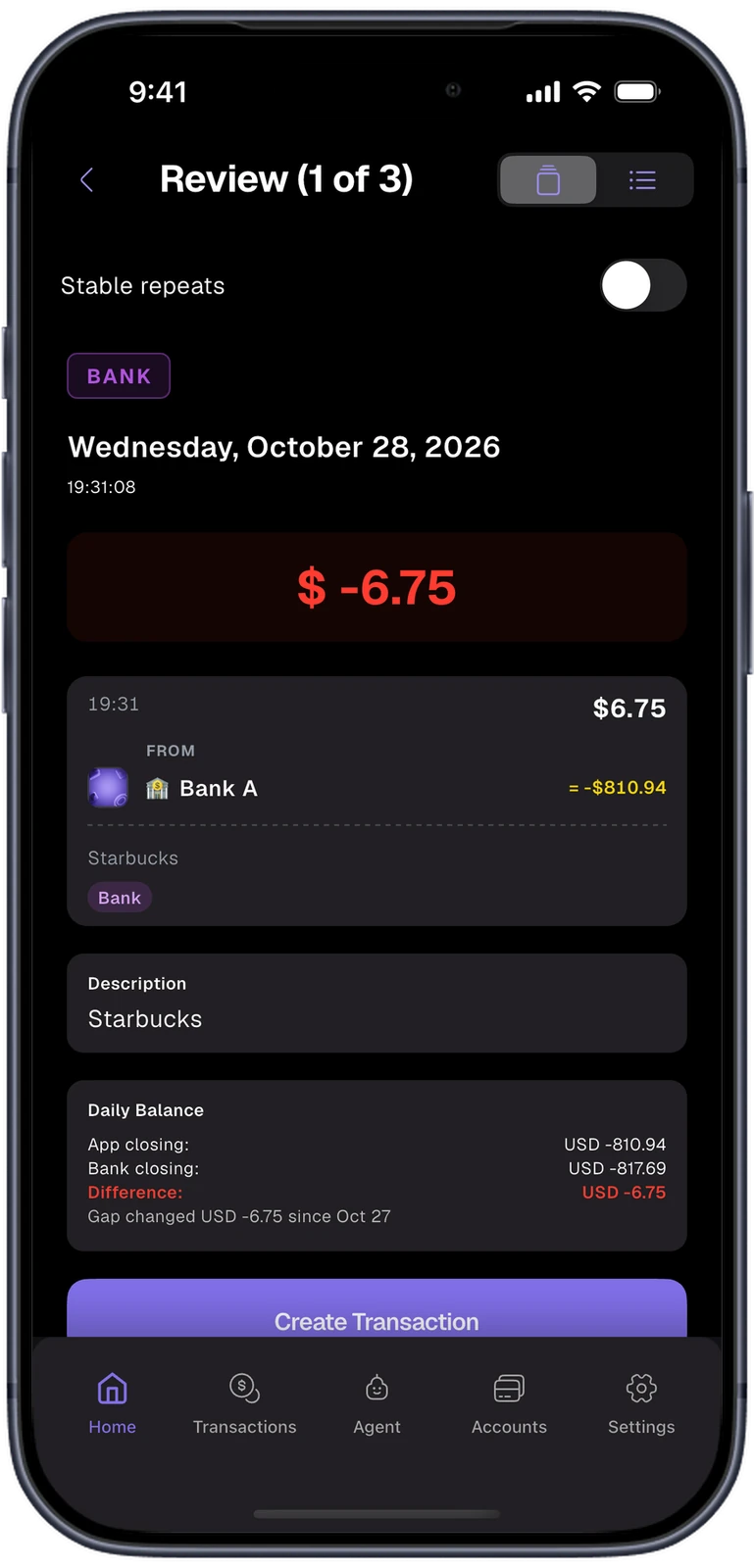
The bank statement checks the app.
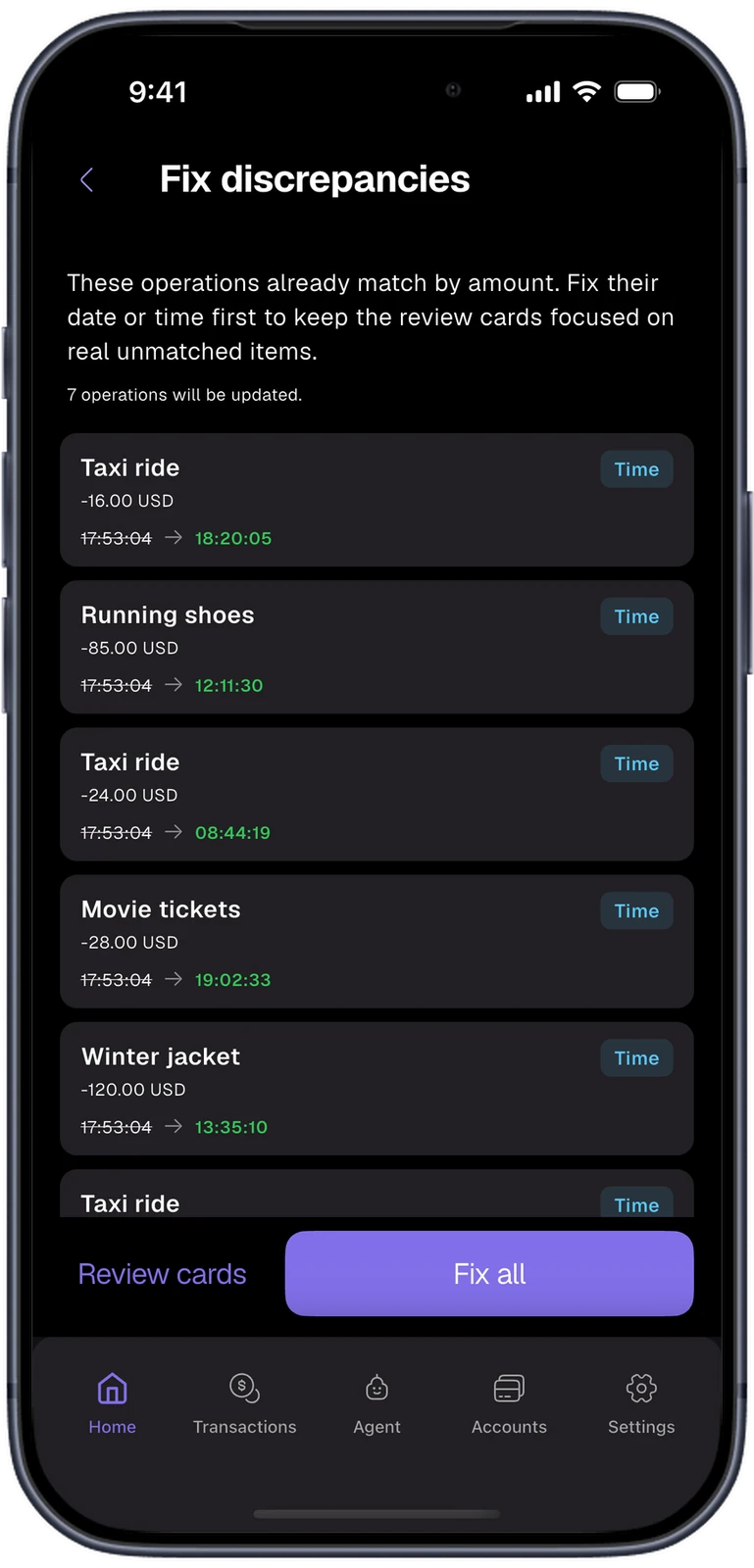
Import a statement and the app matches each bank row to its own entries. Rows the bank has and the app does not become review cards. Then each day's closing balance is compared with the bank's, so a gap shows up on the day it appeared.
- Six bank formats are read natively, Revolut and monobank among them, plus any CSV.
- When only the time of an entry differs, one tap aligns it with the bank.
The same ledger on a bigger screen.
On the same Wi-Fi, the phone serves a web console to a browser. The browser asks for a four-character passcode, the phone asks its owner to confirm, and the computer then works with the ledger on the phone. The data does not leave the local network.
- The console is a Vue 3 app with ECharts, served by a small shelf server inside the Flutter app.
Ask the ledger a question.
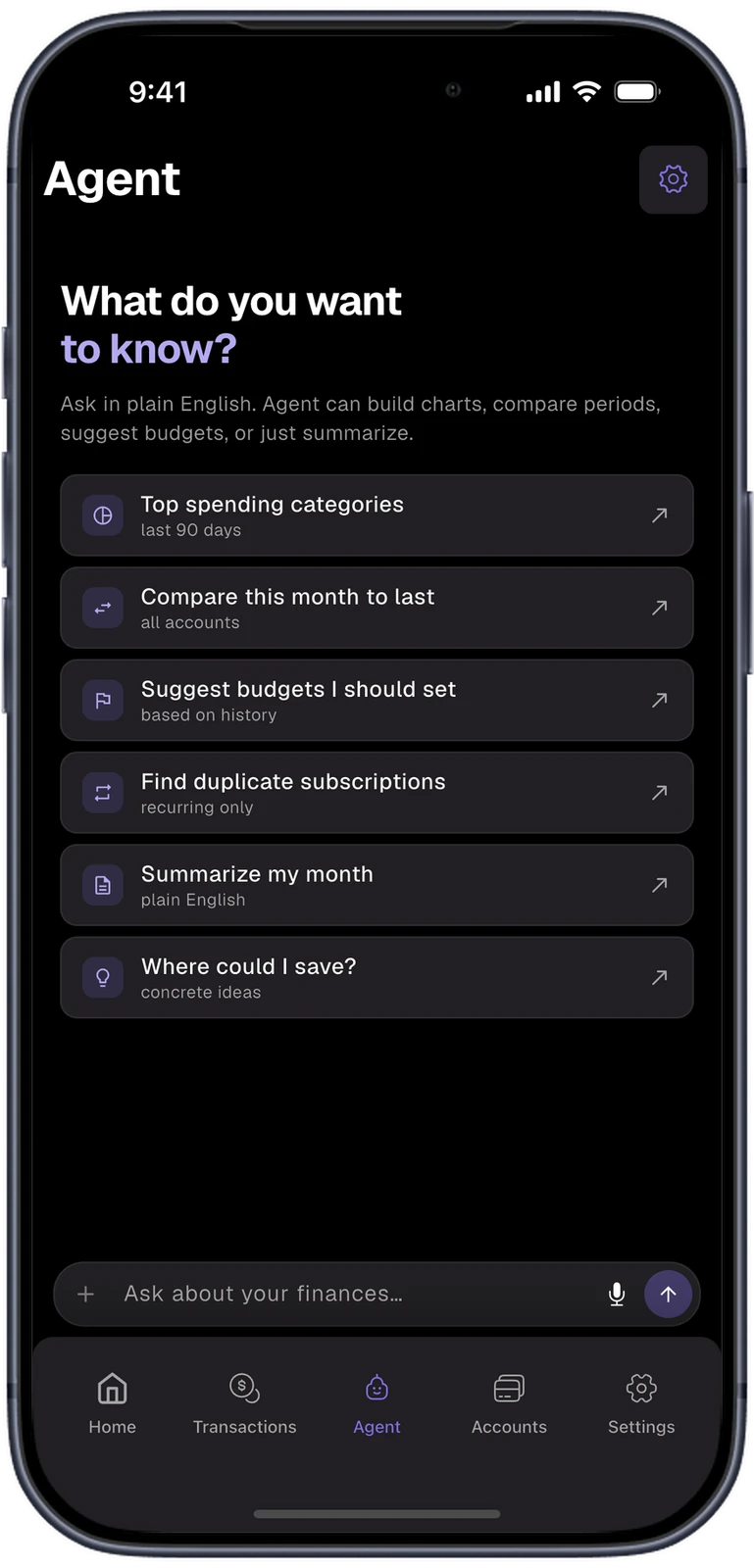
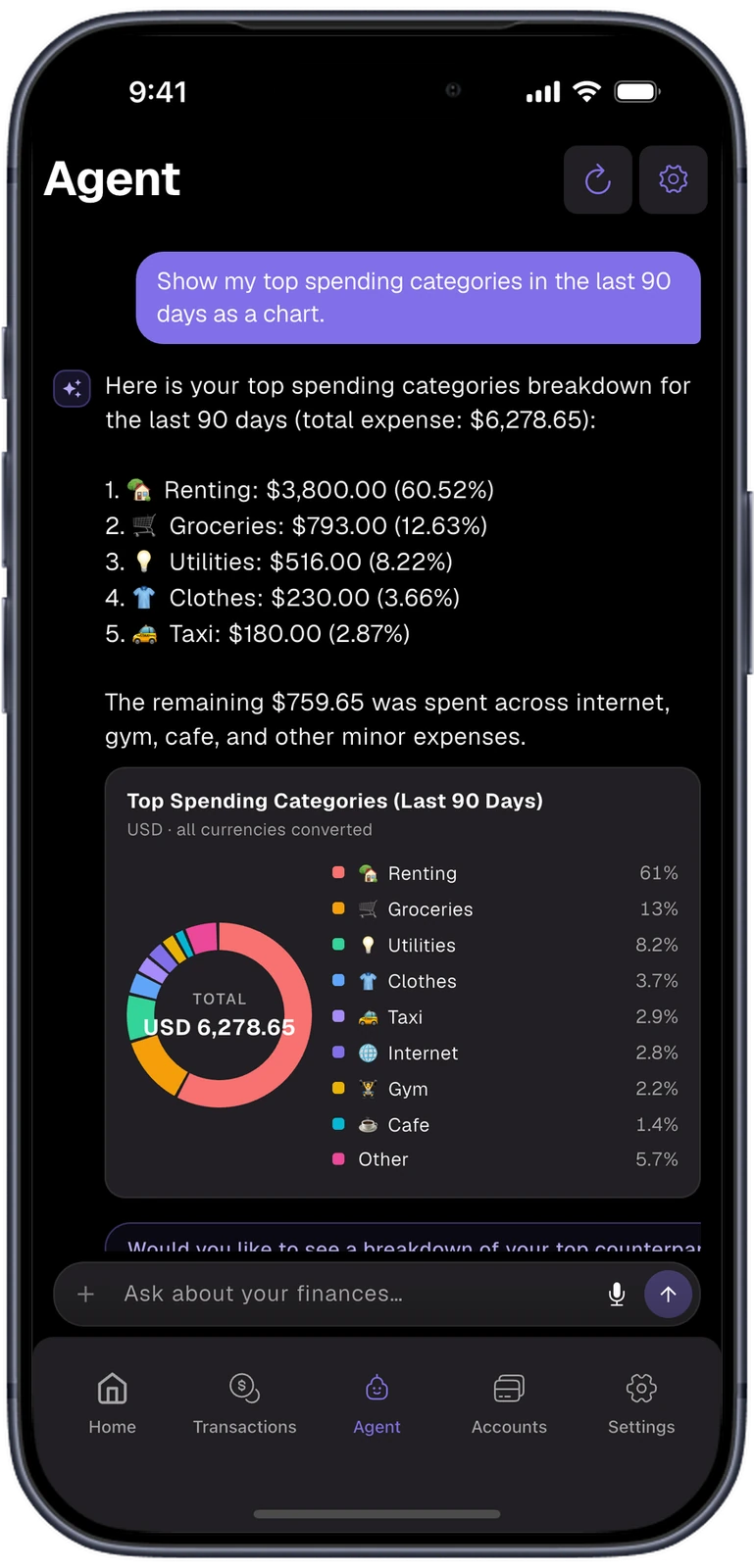
The agent answers questions about the user's own data: top categories, this month against last, budgets worth setting. It reads the ledger through read-only tools and can draw charts. When it suggests a transaction it opens a filled form, and nothing is saved until the user presses Save.
- Users bring their own OpenAI or Gemini key, and data is sent only after they allow it.
Black canvas, one accent.
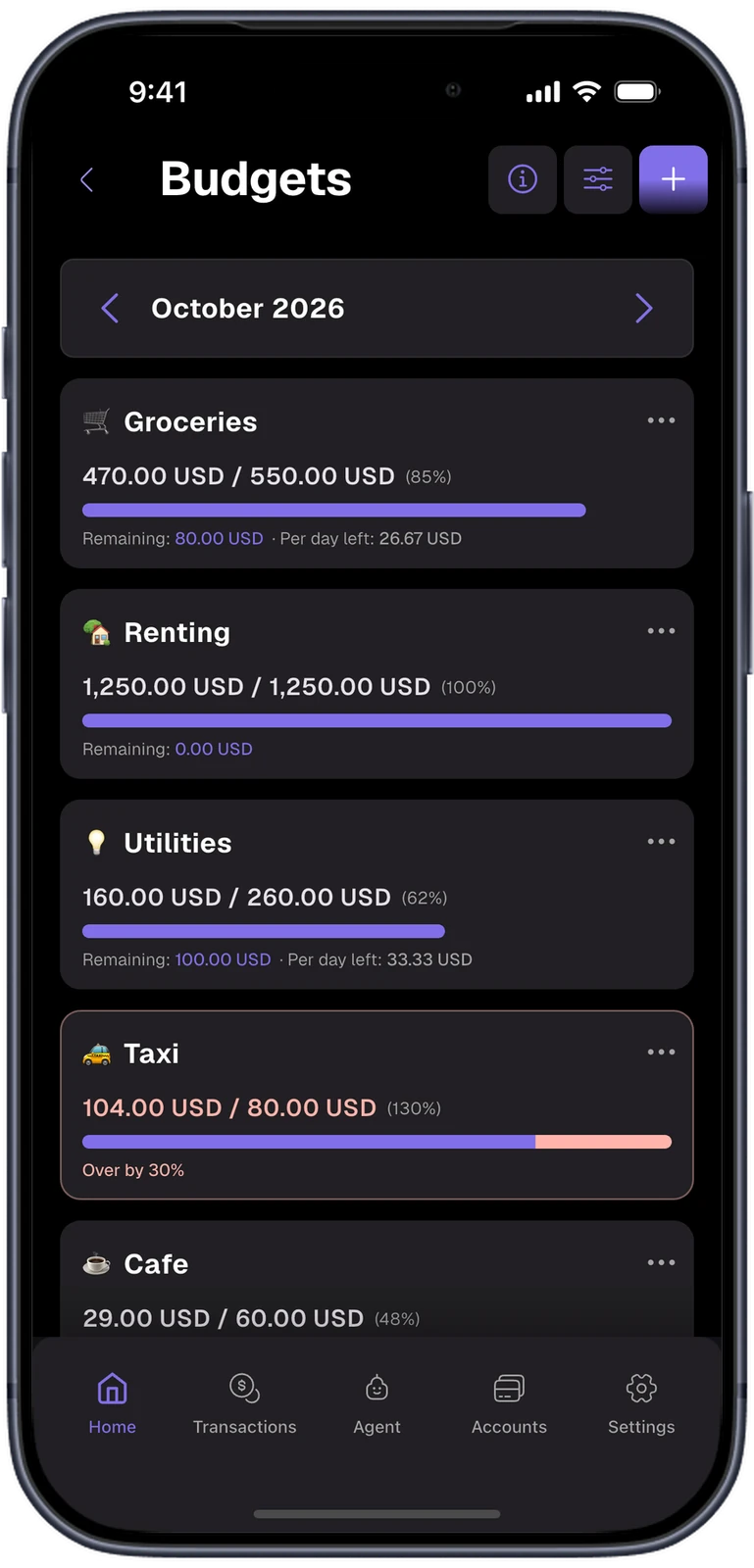
The main theme is black with graphite cards and a single purple accent. Green and red are kept for income and expense, so colour always means money moving. Type is set in Geist.
- Background
- Card
- Accent
- Income
- Expense
- Text
What we built.
Our part
- Product and interface design
- Flutter app for iOS and Android
- Double-entry ledger on SQLite
- Bank statement import and reconciliation
- Remote console in Vue 3, served from the phone
- AI agent on OpenAI and Gemini
- Backup to Google Drive
- Releases to the App Store and Google Play
Stack
- App
- Flutter
- Dart
- Provider
- fl_chart
- ARB localization, 7 languages
- Data
- SQLite (sqflite)
- SQL triggers
- Flutter Secure Storage
- Google Drive API
- Remote console
- shelf
- Vue 3
- Pinia
- ECharts
- Vite
- AI
- OpenAI API
- Gemini API
- Operations
- RevenueCat
- Firebase Crashlytics
- Firebase Remote Config
- GitHub Actions
- Fastlane
Building a finance product?
Let's make the numbers add up.
Ledgers, bank imports, data that stays on the device. Tell us what yours has to get right.