SushiPizza
One delivery app for two restaurants, a sushi bar and a pizzeria: a shared menu of 160+ dishes, one cart, and orders that reach the kitchen as a Telegram ticket.
160+
dishes on one shared menu
14
menu categories, from rolls to drinks
2
restaurants behind one cart
2
ways to get an order: delivery or pickup
- Client
- Two restaurant brands, sushi and pizza
- Industry
- Food delivery
- Platforms
- iOS on the App Store, Android and web from one codebase
- Our part
- Design, app, backend, order flow
- Timeline
- 2024–2025, released December 2024
The brief.
Context
Two restaurant brands, a sushi bar and a pizzeria, sell through one app. A customer browses rolls, pizza, wok, burgers and drinks in a single menu, fills one cart and chooses delivery or pickup. We designed and built it, from the first screen to the ticket the kitchen reads.
Challenge
The menu is long: more than 160 dishes in 14 categories, from rolls and sets to sauces and drinks. It had to stay quick to browse on a phone and let the food photography do the selling. On the other end, staff needed every order complete and readable at a glance: dishes, total, address, how to reach the customer and how they will pay.
Approach
We built the app in Flutter, starting from FlutterFlow, on a Supabase backend that holds the menu, accounts and carts. Category tabs and a side menu cover the whole catalogue, and a dish is two taps from the cart. At checkout the app assembles a structured ticket, and a small relay on Google App Engine posts it to the restaurant's Telegram.
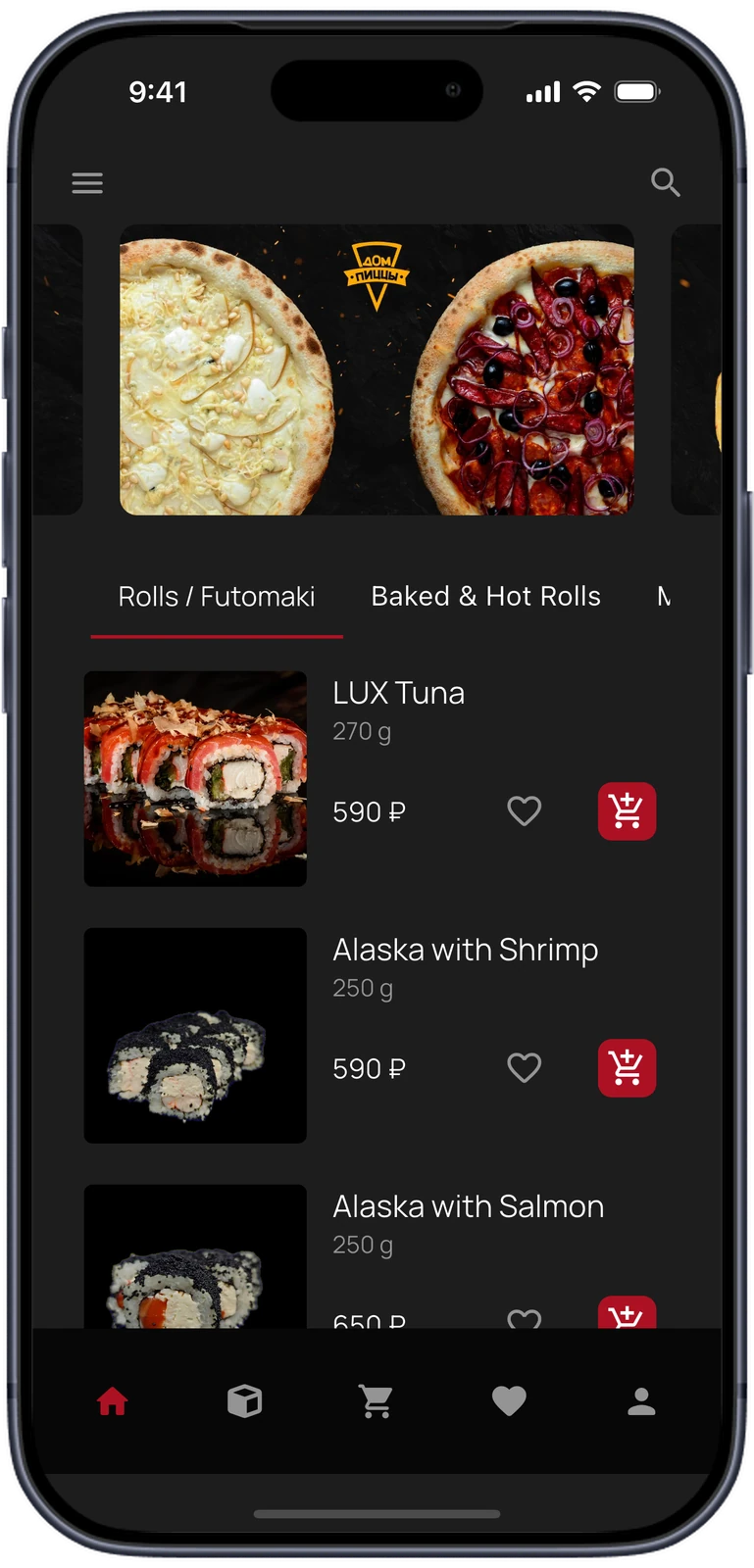
The whole menu, one scroll away.
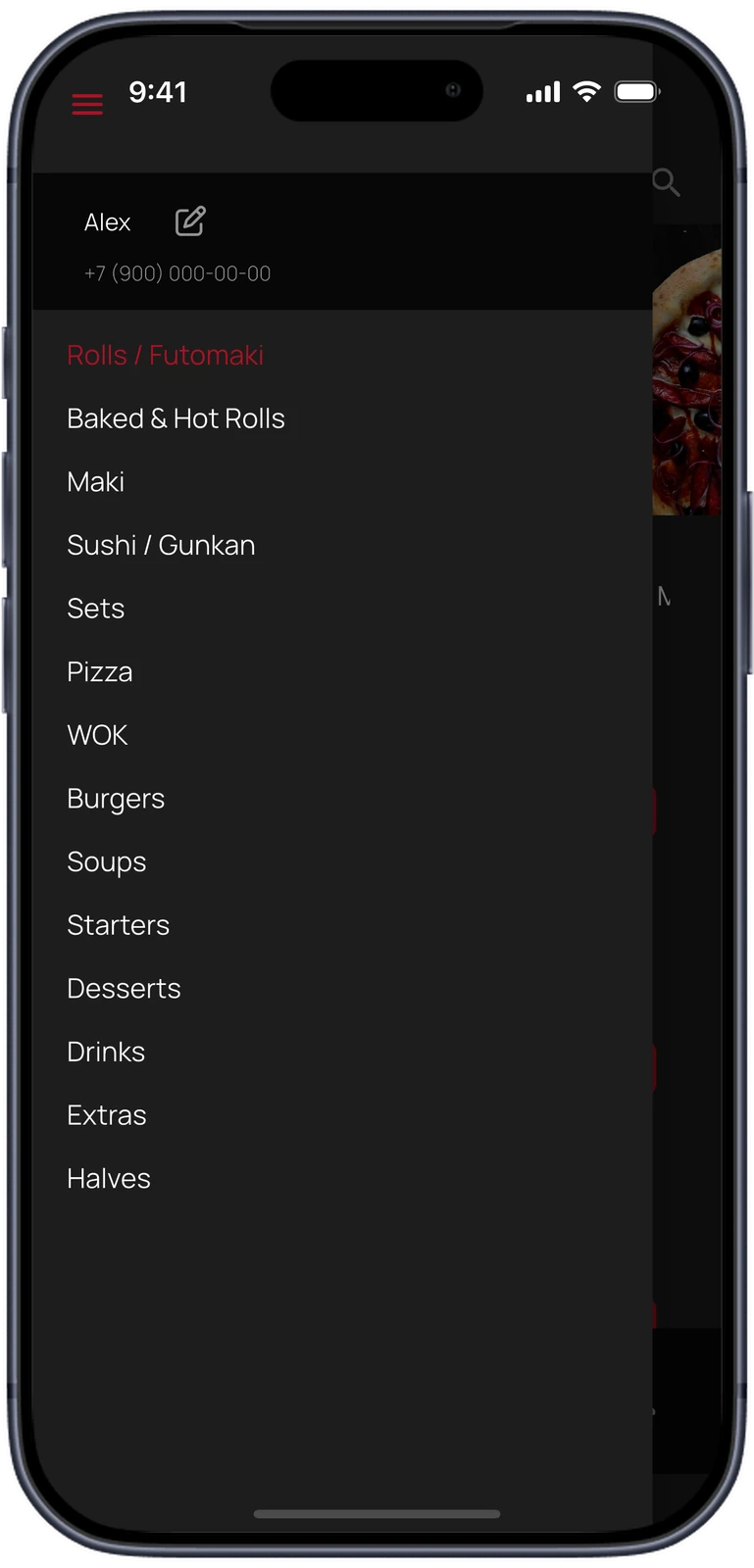
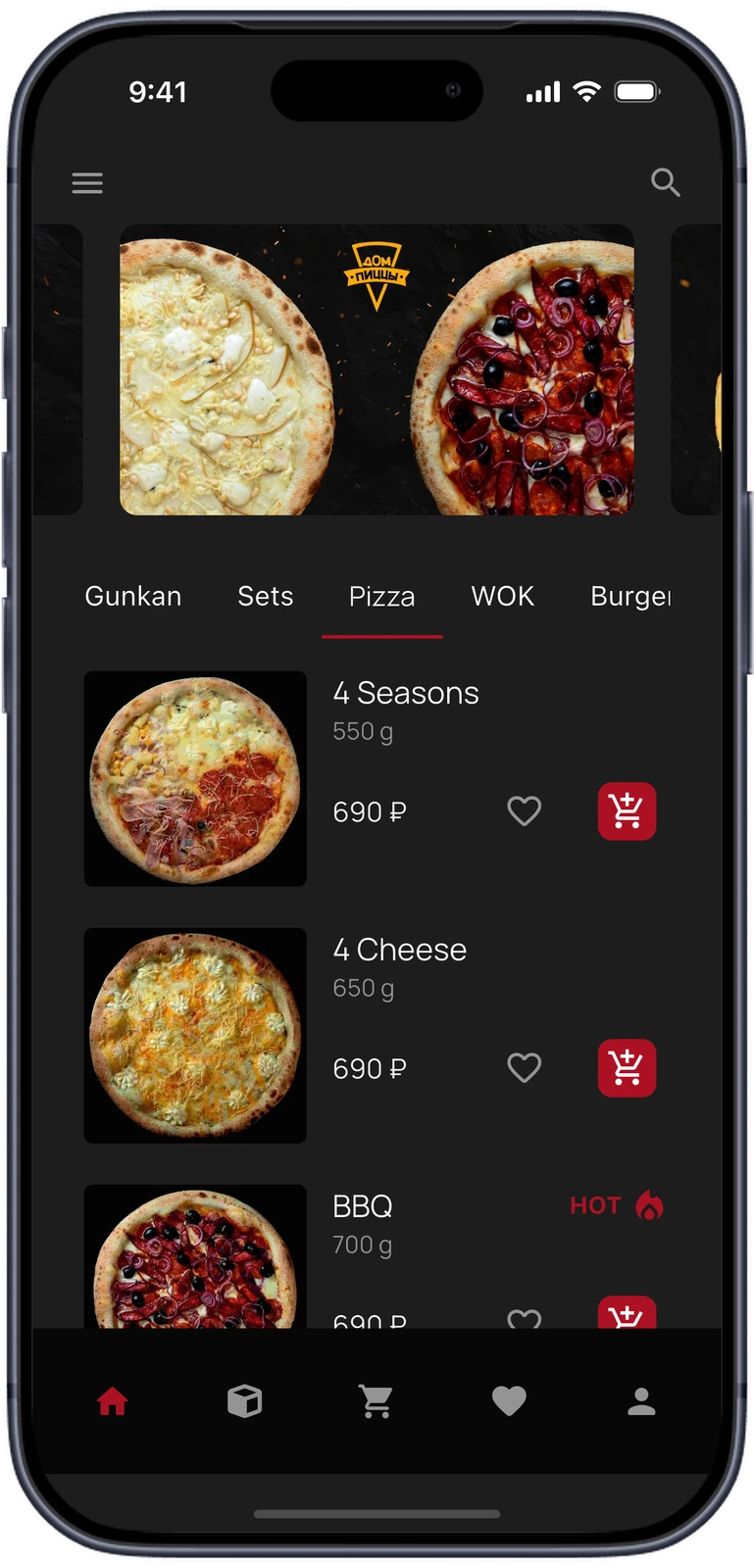
Home opens on a promo carousel and category tabs. Each dish is a row with its photo, weight and price, a heart for favourites and an add button. A side menu lists all 14 categories, and dishes the restaurant marks as hot carry a badge.
Dish, quantity, cart.
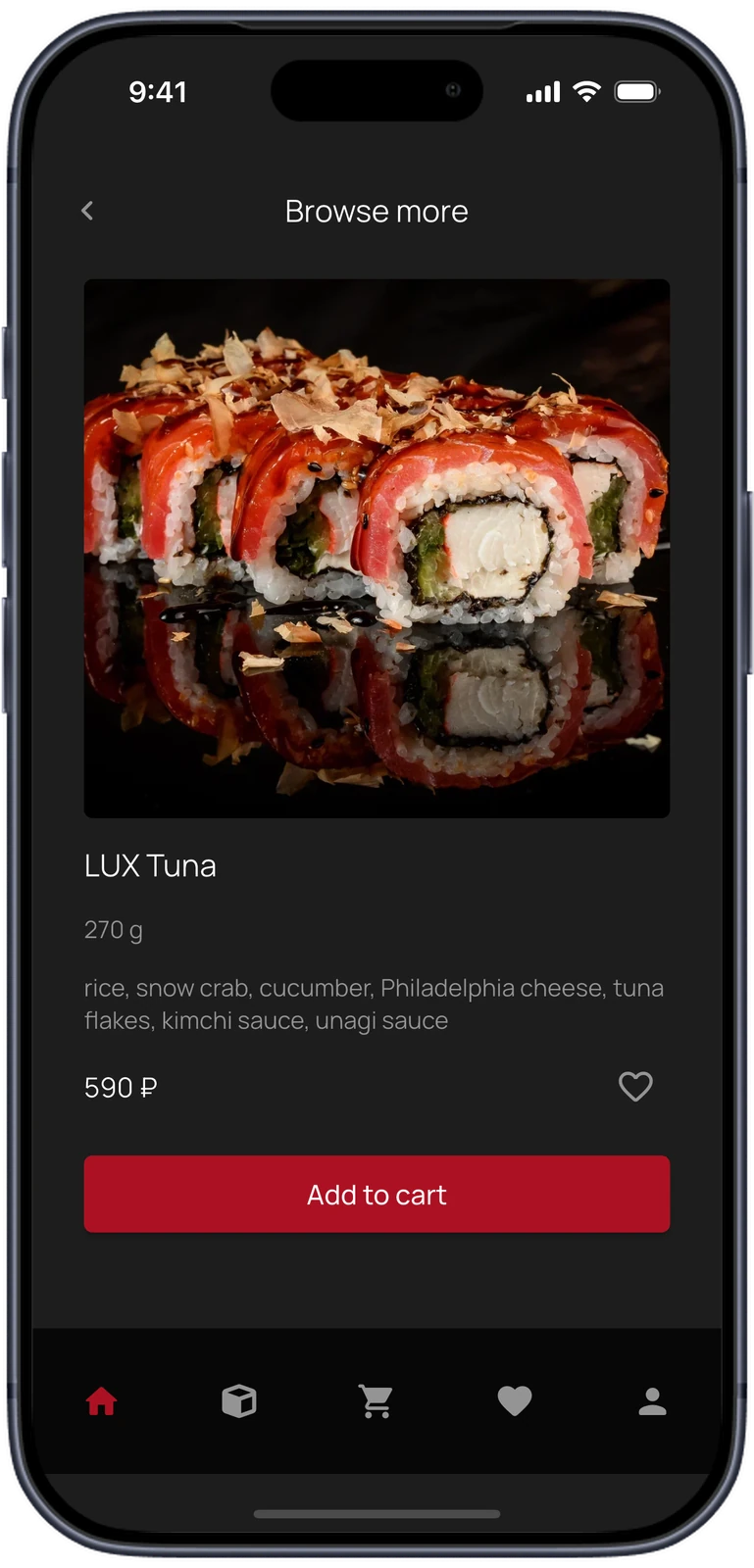
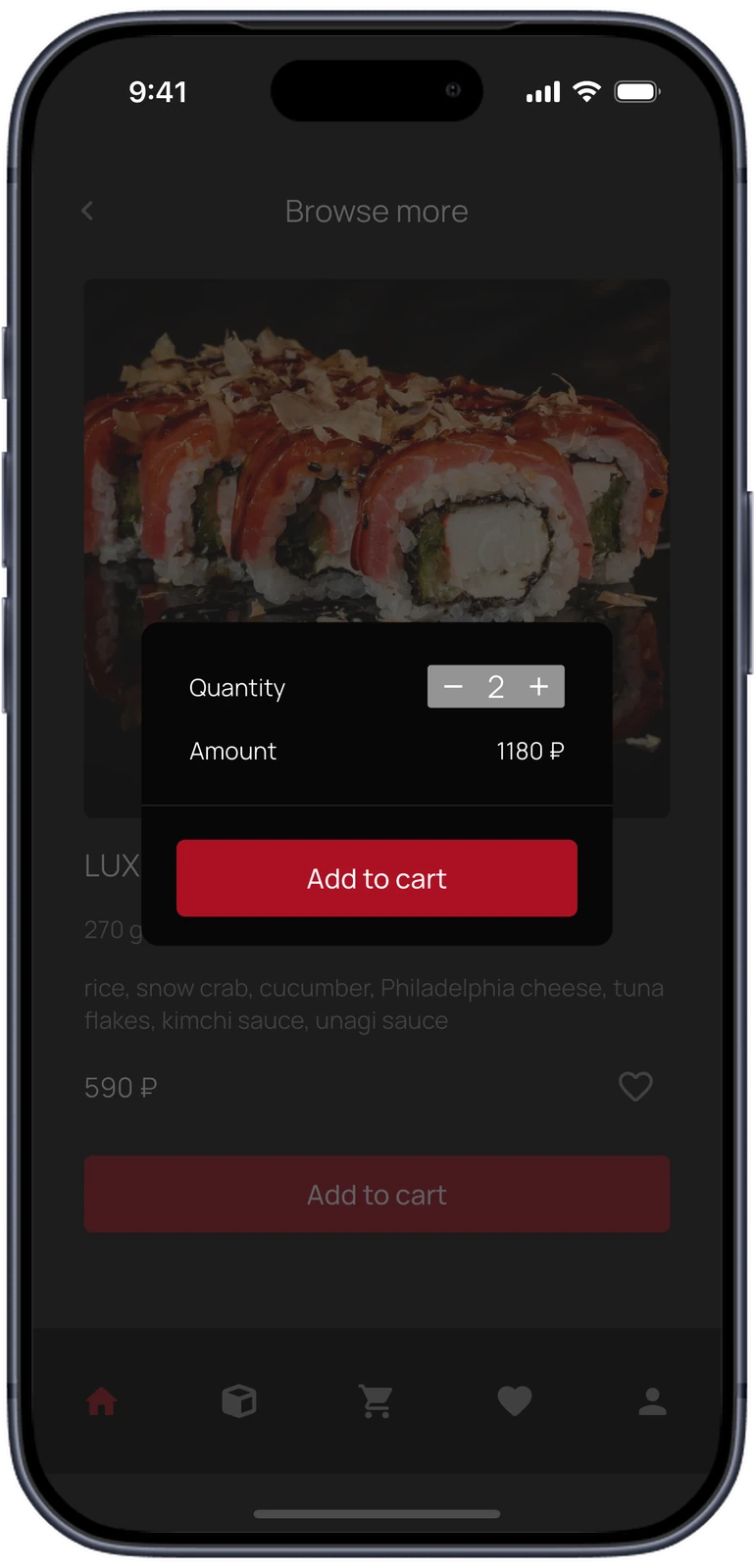
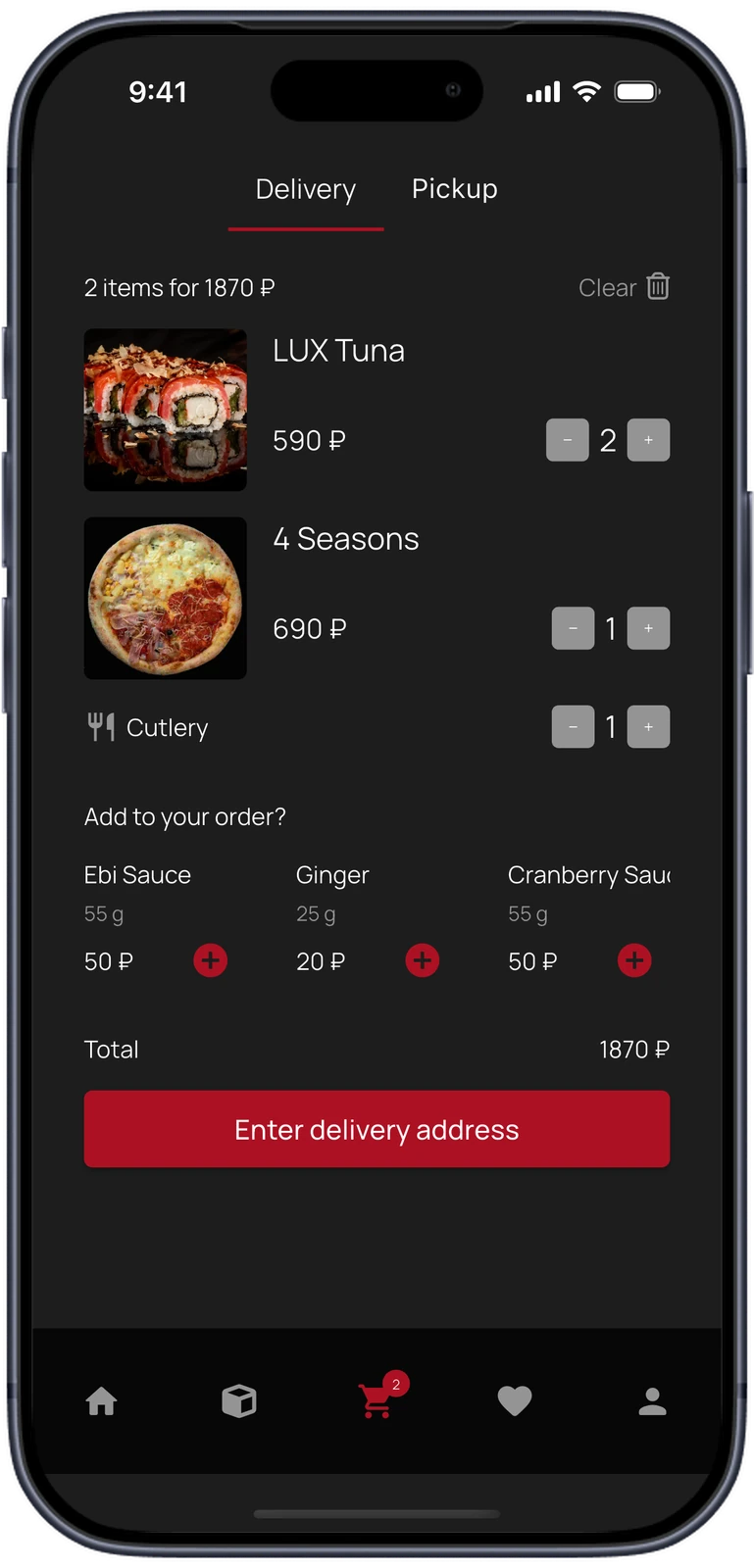
A dish page shows the photo, weight, ingredients and price. Adding it opens a small sheet where the amount follows the quantity. The cart switches between delivery and pickup, counts cutlery and offers sauces and extras before checkout.
- The cart is stored per account in Supabase, so it is still there after the app is closed.
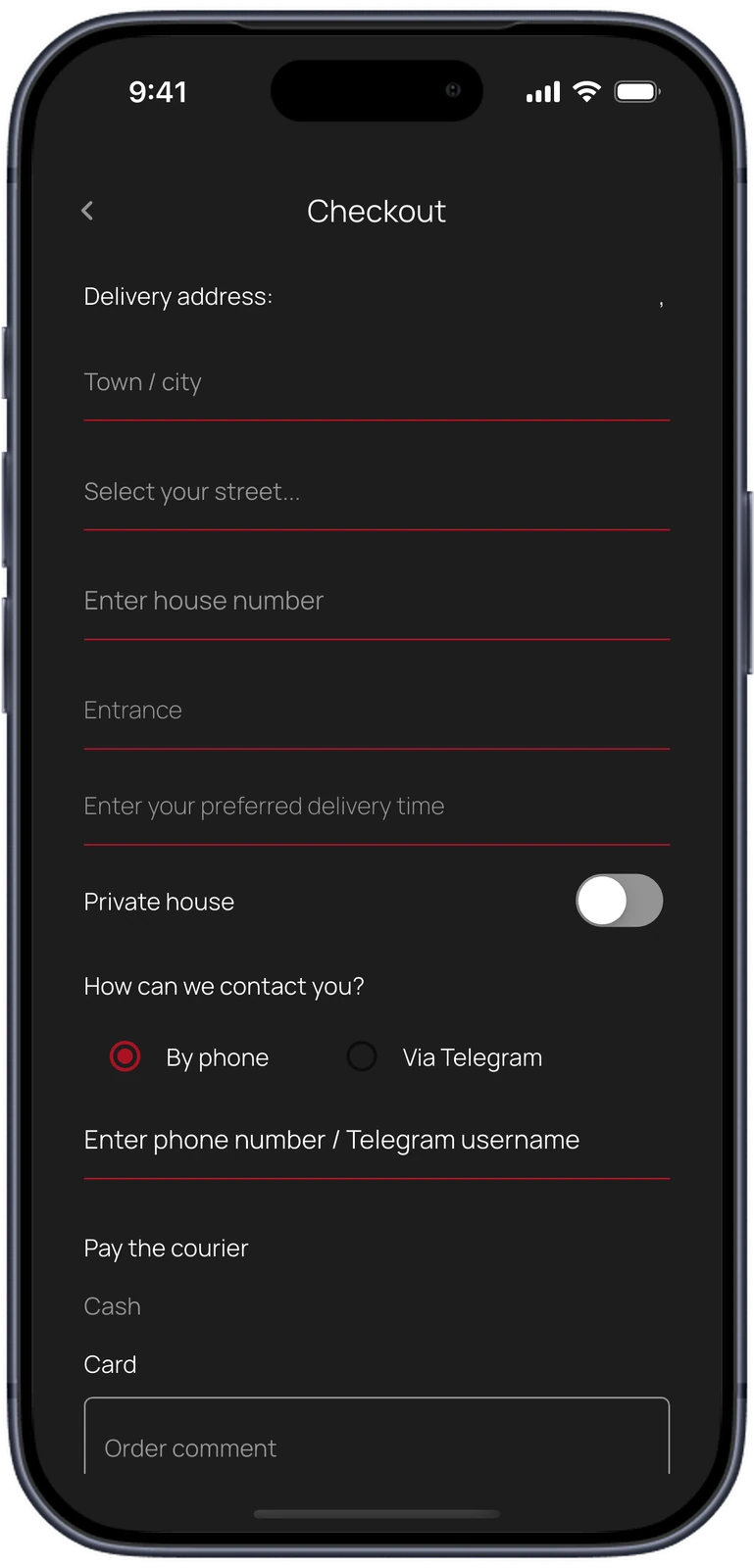
One form, and the kitchen has it.
Checkout asks only what a courier needs: a street picked from a list, house, entrance, a preferred time and whether it is a private house. The customer chooses to be contacted by phone or in Telegram and pays the courier in cash or by card.
- New customers sign up with a phone number and an SMS code; returning ones sign in with email and password.
From the cart to the kitchen's Telegram.
The menu, accounts and carts live in Supabase, which the app queries directly. When an order is placed, the app formats a ticket and hands it to a small relay on Google App Engine, which posts it to the restaurant's Telegram. Firebase Cloud Messaging carries push notifications.
Menu
Dishes, categories and promo banners are read from Supabase.
Cart
Each dish added becomes a row tied to the customer's open order.
Checkout
Address, contact method, payment and comment are assembled into one ticket.
Relay
A small service on Google App Engine receives the ticket from the app.
Kitchen
Staff see the order in Telegram: dishes, total, address and how to reach the customer.
Charcoal, red and the food.
The interface stays dark so the studio food photography carries every screen: a charcoal ground, near-black bars and cards, and red only for actions and the active tab. Type is Manrope throughout.
- Charcoal
- Bars and cards
- Action red
- Secondary text
- Text
What we built.
Our part
- Interface design for both restaurant brands
- Flutter app for iOS and Android, started in FlutterFlow
- Supabase data model for the menu, accounts and carts
- Checkout and the Telegram order ticket
- Order relay on Google App Engine
- Phone sign-up with SMS codes
- Push notifications and a web build on Firebase Hosting
Stack
- App
- Flutter
- Dart
- FlutterFlow
- go_router
- Provider
- Backend
- Supabase
- Supabase Auth
- Google App Engine
- Integrations
- Telegram Bot API
- SMS Aero
- Firebase Cloud Messaging
- Delivery
- App Store
- Firebase Hosting
Running a restaurant?
Let's take the orders in an app.
We build ordering apps around the way a kitchen already works. Tell us how yours does.